
One APK for every phone: how Signal's universal build works
Published: October 7, 2026 · Updated: October 8, 2026
Signal's website APK is a universal build: one download that works on both 64-bit (arm64) and 32-bit phones, so there is no architecture to choose on the download page. The APK simply contains the app's native code compiled for both processor types, and Android automatically installs the right one for your phone. You do not need to know your phone's architecture, check a list, or pick a variant. Download the single file from Signal's APK page, install it, and the correct code runs. This page explains what the architecture terms mean, why the choice does not exist, and how this differs from what the Play Store does.
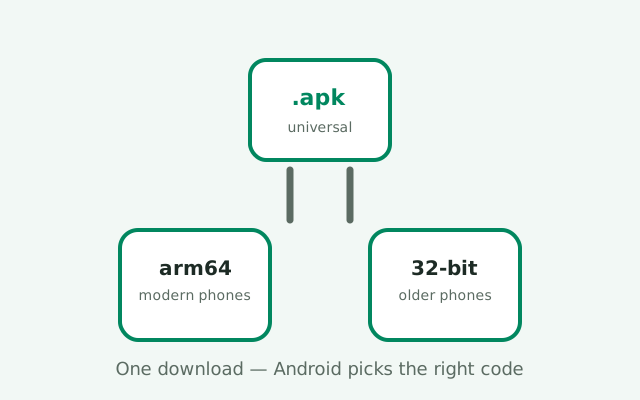
The universal APK: one file, all phones
An APK is a zip file full of the app's code, images, and resources. Some of that code is native code: compiled specifically for a phone's processor type, called its architecture or ABI. Signal's website build ships its native code compiled for the two Android phone architectures that matter: arm64-v8a (64-bit ARM, essentially every modern phone) and armeabi-v7a (32-bit ARM, older and budget phones). Both sets live inside the single APK file. When you install it, Android looks at your phone's processor, picks the matching set, and ignores the rest.
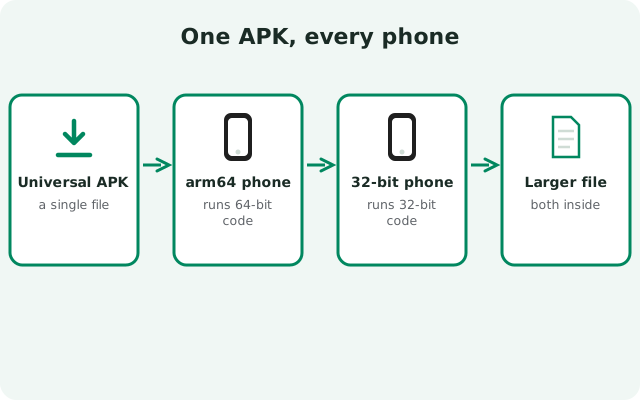
This is what "universal" means in the filename: Signal-Android-website-prod-universal-release-8.29.3.apk. The word is doing real work. It tells you this one file covers all supported devices, as opposed to per-architecture builds that some apps distribute. Signal's team builds one universal APK for the website channel because the website channel has no store infrastructure to pick the right variant for you. The Play Store can serve each phone exactly the slice it needs; a static download page cannot, so the file carries everything.
The practical upshot is delightfully boring: you cannot download the wrong one. There is no arm64 page and no 32-bit page, no dropdown, no "check your processor" step. The single download link on signal.org/android/apk/ is the whole story. If you have ever downloaded an app from a mirror site and faced four architecture variants with no idea which to pick, the universal build is the antidote to that confusion. One file, every phone, done.
What arm64 and 32-bit actually mean
| arm64 (arm64-v8a) | 32-bit (armeabi-v7a) | |
|---|---|---|
| What it is | 64-bit ARM processors | 32-bit ARM processors |
| Which phones | Essentially every phone sold in the last decade | Older and very low-end phones |
| What runs on it | The 64-bit native code in the APK | The 32-bit native code in the APK |
| Do you need to care? | No. Android picks automatically | No. Android picks automatically |
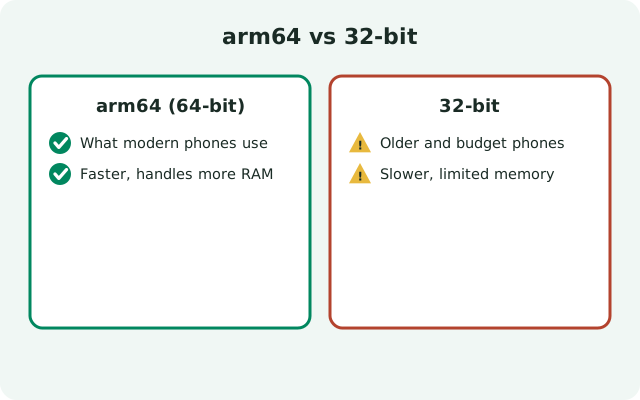
In plain terms: your phone's processor speaks a dialect, and apps include native code translated into each dialect they support. "arm64" is the modern dialect that nearly every phone today speaks. "32-bit" (armeabi-v7a) is the older dialect from the early Android years, still found on some aging or ultra-budget devices. A 64-bit phone can usually also run 32-bit code, but a 32-bit phone cannot run 64-bit code. That is exactly why shipping both matters: the universal APK covers the oldest supported phones without leaving them behind.
You may also see other architecture names in the wild. x86 and x86_64 belong to Intel-based devices like some Chromebooks and emulators, not to ARM phones. Signal's website APK targets phone architectures; that is why the universal build carries ARM variants. If you are installing on a Chromebook or emulator and wondering about x86, our Chromebook guide covers that path separately.
None of this affects your chats, your encryption, or your account. The architecture only determines which compiled code your phone runs; the Signal protocol, the message format, and your identity are identical across all of them. A message sent from a 32-bit phone and a message sent from a 64-bit phone are indistinguishable on the wire. This section is pure plumbing knowledge: useful for understanding, irrelevant to daily use.
Why there's no architecture picker
Two reasons, one technical and one human. The technical reason: Android's installer handles architecture selection itself. When you open the APK, the package manager reads your device's supported ABIs, finds the matching native libraries inside the APK, and installs those. A download-page picker would be redundant. The operating system already does the choosing, correctly, every time. Adding a manual choice would only create a way to choose wrong.
The human reason: most people have no idea what processor their phone has, and they should not need to. Forcing a choice would turn every download into a research project ("is my Redmi 12 arm64?") followed by support tickets from everyone who guessed wrong. The universal build deletes the entire category of mistake. Signal's download page can be one button because the file is one file. This is a genuine usability win, and it is worth appreciating: the absence of a choice is the feature.
This also simplifies verification. There is one file to checksum, one signature to verify, one download to trust. Our SHA-256 verification guide walks the check against the fingerprint published on Signal's download page. With per-architecture builds, you would have to make sure you verified the exact variant you downloaded; with a universal build, the file you check is the file everyone checks.
How the Play Store does it differently
The Play Store build of Signal does not ship as one universal file. Google Play uses app bundles: the developer uploads everything once, and Play's servers slice it into per-device packages: the right architecture's native code, the right screen-density images, the right language resources, and each phone gets only its slice. Your Pixel downloads the arm64 slice; an old 32-bit phone downloads the 32-bit slice; neither downloads the other's code.
The result is a smaller download and a smaller install from Play. The website's universal APK, carrying both architectures' code, is necessarily heavier than the tailored slice Play serves your specific phone. That is the entire tradeoff of the universal approach: simplicity and store-independence in exchange for some extra megabytes. On a modern phone with gigabytes free, the difference is trivia. On a phone with 16 GB of storage total, it is noticeable but still small next to the app's message database, which dwarfs the APK itself within weeks of use.
There is no functional difference between the two distribution shapes. The Play slice and the universal APK run the same app, speak the same protocol, and produce identical behavior on the same phone. The difference is purely in how the bytes get to you: Play's tailored delivery versus the website's one-file-fits-all. If someone tells you the website build is "the 64-bit version" or "the 32-bit version," they are confused. It is both, in one file, and that is the point.
The storage tradeoff, honestly
Let us be straight about the cost of universal. An APK carrying two architectures' native code is bigger than an APK carrying one. The universal website build is therefore a somewhat larger download than the equivalent Play Store slice for your phone. We are talking about a modest difference (the kind measured in tens of megabytes, not hundreds) on a file that is already well over a hundred megabytes either way. If you are downloading over mobile data, it is a slightly longer wait; that is the whole of it.
After installation, the story improves: Android installs only your architecture's native libraries, so the on-device footprint sheds the unused set. The installed app is not double-sized; the download was just carrying a spare. And within a month of real use, your message database and media cache will outweigh the app binary several times over. Worrying about the universal APK's size while keeping three years of videos in your chats is worrying about the wrong megabytes.
If storage is genuinely tight, the levers that matter are elsewhere: clearing old media from chats, managing the app's storage in Settings, and keeping the phone itself uncluttered. The storage troubleshooting guide covers the real space hogs. The architecture payload is a rounding error next to them.
Do you ever need to check your architecture?
For installing Signal from the website: no, never. The universal APK handles it. But there are a few adjacent situations where knowing helps. If you are sideloading other apps from mirror sites that do split by architecture, knowing yours saves a wrong download. If you are debugging a crash that smells native (the app dies on launch after an update), support will sometimes ask. And if you are just curious what your phone is, that is a fine reason too.
The quickest honest check: install a hardware-info app from a source you trust and look at the CPU or ABI line, or check your phone's spec sheet online. Most phones sold since roughly 2016 are 64-bit; if your phone is from the last several years, it is arm64 and you can stop wondering. Signal itself does not display the architecture anywhere in its settings, because, again, you are not supposed to need it.
One caution: do not go hunting for "the 64-bit Signal APK" on mirror sites because you read this page and decided you want the pure variant. There is no purer variant; the universal build is the 64-bit build on your 64-bit phone, with a 32-bit passenger you never notice. Downloading architecture-specific Signal builds from third parties buys you nothing and costs you the trust of getting the file from Signal. The official page is the beginning and end of the download story.
The filename tells you it's universal
The website APK's filename is documentation in miniature: Signal-Android-website-prod-universal-release-8.29.3.apk. Read it left to right: Signal, Android, the website distribution channel (not Play), production build, universal (all architectures in one file), release build, version 8.29.3. Every website release follows this pattern, with only the version number changing. Our APK filename guide decodes the full pattern including beta and variant names.
Why does the filename matter? Because it is a quick authenticity signal. If a mirror site offers you a "Signal APK" with a filename that does not match this pattern (missing "website," missing "universal," a version number that does not exist), that is a reason to stop and get the file from the real source instead. Attackers rename files freely, so the filename alone proves nothing, but a wrong filename is a cheap early warning. The real verification is the SHA-256 fingerprint check against the value published on Signal's own download page; the filename is just the bouncer at the door.
And when the version number ticks up (8.29.3 today, something newer tomorrow), the pattern holds. Same universal shape, new version. Update by downloading the new universal APK from Signal's page and installing it over the old one; same signing key, so Android treats it as an update and your chats stay put. The website-build update guide walks that flow.
from Signal's official site — file hosted by Signal, not by us
Frequently asked questions
Is the Signal APK 64-bit or 32-bit?
Both. The website APK is a universal build containing native code for arm64 (64-bit) and armeabi-v7a (32-bit). Android automatically installs the correct set for your phone, so there is nothing to choose.
Why is there no architecture option on Signal's download page?
Because there doesn't need to be one. The universal APK works on all supported phones, and Android's installer picks the right native code automatically. A manual picker would only add a way to choose wrong.
What's the difference between the website APK and the Play Store version?
Distribution shape. The website build is one universal APK with all architectures inside; the Play Store serves each phone a tailored slice via app bundles. Same app, same protocol, same behavior. The Play slice is just a smaller download.
Does the universal APK take more storage?
Slightly more at download time, since it carries both architectures' code. After install, Android keeps only your phone's architecture, so the installed footprint sheds the unused set. Your message database will outweigh the difference within weeks anyway.
How do I know which architecture my phone is?
You don't need to for Signal. The universal APK handles it. If you're curious, most phones from the last decade are 64-bit (arm64). Never download architecture-specific Signal builds from mirror sites; the official universal build is the correct file for every phone.
Keep reading
- the install guides hub: every install path in one map
- downloading the APK: the single official download
- verifying the APK's fingerprint: prove the file is genuine
- decoding the APK filename: what each part of the name means
- updating the website build: installing new versions over the old