
Where to Find Signal's Release Notes
Published: October 7, 2026 · Updated: October 8, 2026
The three places Signal publishes release notes
Signal does not keep one tidy "changelog" page on its main website. Instead, release notes are spread across three channels, and each one serves a different purpose. If you only check one place, you will miss things. Here is the full picture.
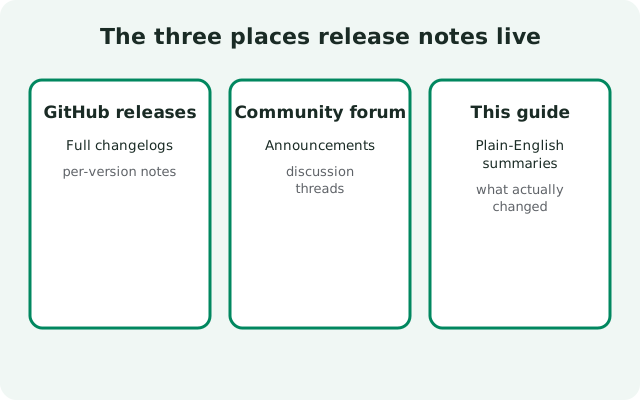
The primary source is the releases page of Signal's own Android project on GitHub (signalapp/Signal-Android). Every public build gets a tag there, and the bigger ones get written notes: what changed, what was fixed, sometimes screenshots. This is the most detailed record that exists, and it is the first place a new build's notes appear. If a feature announcement you saw online does not show up here, treat the announcement with suspicion.
The second channel is the Signal blog. Blog posts are announcements, not changelogs: they cover launches and major features, and they skip most routine updates entirely. A quiet bug-fix release will never get a blog post. So the blog tells you what Signal is proud of, not everything it shipped.
The third channel is the app itself. When an update installs, you may see a short "what's new" summary, and the Play Store listing carries a brief change log too. These summaries are the shortest of all, usually one or two lines, and they are written for the average user, not for detail.
Start with the GitHub releases page
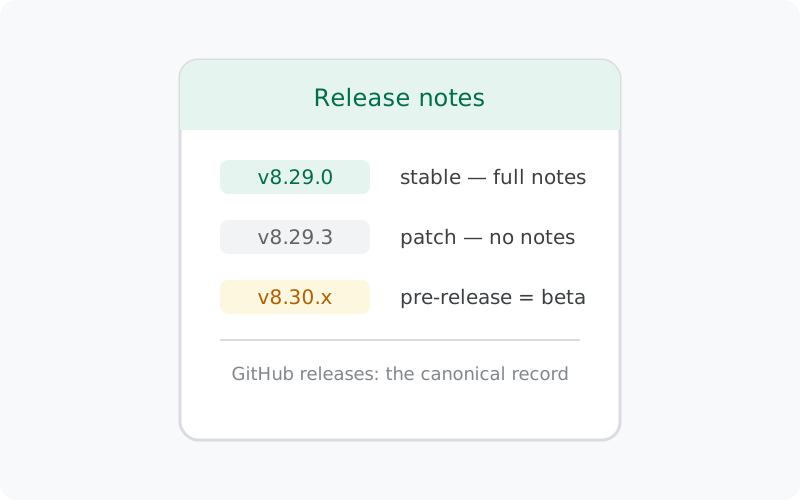
On the GitHub releases page, builds are listed as tags like v8.29.0. A few conventions will save you confusion:
- The tag is the version. The tag
v8.29.0is the 8.29.0 build. There is no separate versioning scheme to decode; our version-numbering guide explains the numbering in plain language. - "Pre-release" means beta. GitHub lets projects mark a release as a pre-release, and Signal uses this for beta builds. A pre-release tag is a test build, not the finished update. The stable builds are the ones with no pre-release badge.
- Patch builds often get no notes. When you see the third number move, 8.29.1, 8.29.2, 8.29.3, that is usually a small fix build, and Signal often ships those with no published notes at all. "No notes" does not mean "nothing changed"; it means the change was too small to document. The current website build is 8.29.3, the latest in such a patch line.
- Dates on tags are build dates, not rollout dates. A tagged build can take days to reach everyone. Tagging is when the build is finished; your phone getting it is a separate event.
Because the notes live on GitHub, you can also see the full history. Scrolling back through old tags is the fastest way to answer "when did this feature arrive?" Far faster than searching blog archives.
How to read beta vs stable notes
Signal tests features in beta before they reach everyone. On GitHub, beta builds show up as pre-release tags, and the notes for the matching stable build usually fold the beta changes in. This creates a pattern worth knowing:
- If a feature is announced in a pre-release note, it is still being tested. It may change, and it may not reach the stable build in the same form.
- If you are on the website build and curious about what's coming, the pre-release tags are your preview. The beta guide explains how beta testing works for the APK build specifically.
- The stable note for a version like 8.29.0 is the authoritative record of what shipped to everyone. Anything you read in a beta note that is missing from the stable note probably did not make the cut.
One practical tip: compare the note of the build you have with the newest stable note. If your note is two versions behind, that is your signal that your app may be stuck on an old version rather than there being nothing new.
What each source tells you (and what it doesn't)
| Source | What it tells you | What it does NOT tell you |
|---|---|---|
| GitHub releases page | Every tagged build; detailed notes for major versions; beta/pre-release markers | Patch-build details; when the rollout reaches your phone; server-side changes |
| Signal blog | Big launches and major features, with background and context | Routine updates, bug fixes, beta builds, exact build numbers |
| In-app / Play Store summary | The one-line highlight of the update you just installed | Anything technical; what changed two versions ago; beta information |
How release notes fit into Signal's release cycle
Release notes make more sense once you see the rhythm they follow. A typical cycle starts with beta builds: pre-release tags appear on GitHub, testers try the new features, and problems get fixed. Then the stable build is tagged with its written notes: this is the version most people receive. After that come the quiet patch builds, which fix what the stable release broke and usually ship with no notes at all.
This cycle explains the two most common confusions.
Why the newest tag is often a beta
If you check GitHub on any random day, the top entry may well be a pre-release, because betas for the next version start while most people are still on the current stable. The stable notes lag one step behind the newest tag. That is normal, not a sign that something is wrong.
Why the notes sometimes seem to skip versions
They don't, but patch builds are nearly invisible. A user who reads every stable note and ignores the patches still gets the full story, because patches fix rather than add. If you want to follow along without checking manually, GitHub lets you "watch" a repository for releases: set that on the Signal-Android project and you'll get a notification for every tagged build, beta or stable, with its notes attached.
The practical takeaway
Check the stable notes when your app updates, skim the pre-release notes when you're curious about what's coming, and don't worry about the patch builds at all. That covers everything the notes are for.
What release notes don't tell you
Even the GitHub notes are incomplete by design. Knowing the gaps stops you from reading too much into silence:
- Rollout timing. Notes say what a build contains, not when each phone gets it. Updates roll out in stages, so two identical phones can get the same build days apart.
- Security fixes in detail. When a release fixes a security issue, the note usually says something vague like "bug fixes and improvements." That is deliberate: publishing the exact hole before everyone has updated would hand attackers a map. Vague wording here is a good sign, not a cover-up.
- Server-side changes. Some features switch on from Signal's servers without any app update at all. Those never appear in release notes, because there is no release.
- What's coming next. Notes describe the past. For the future, the pre-release tags are hints, not promises.
How to check what the newest build is today
The fastest check takes thirty seconds: open Signal, go to Settings, and look at the version info to see what you are running. Then compare it with the newest stable tag on the GitHub releases page and with the current build on Signal's official download page. We also keep a running current-version reference on this site, and the update guide walks through how website-build updates work if yours is behind.
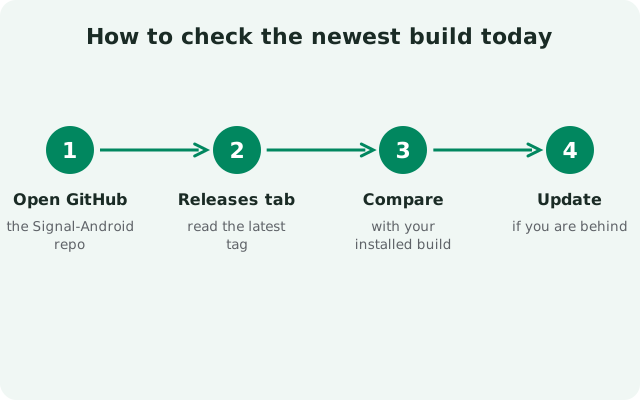
A healthy habit: glance at the release notes whenever you notice a new version number. It takes a minute, and it is the difference between knowing what changed on your phone and wondering why something looks different.
from Signal's official site, file hosted by Signal, not by us
Frequently asked questions
Where are the official Signal release notes?
On the releases page of Signal's Android project on GitHub (signalapp/Signal-Android), where every public build is tagged. Major versions get written notes; small patch builds often ship without notes.
Does the Signal blog announce every update?
No. The blog covers launches and major features only. Routine updates and bug-fix builds never get blog posts, so the blog is not a changelog.
What does "pre-release" mean on GitHub?
It marks a beta build: a test version, not the finished update. Stable builds carry no pre-release badge. Beta features may change before they reach everyone.
Why did a new build arrive with no release notes?
Small patch builds (where only the third version number moves, like 8.29.1 to 8.29.2) often ship without published notes. The changes are usually minor fixes that Signal does not document individually.
Where can I see release notes inside the app?
Sometimes a short "what's new" summary appears when an update installs. For the full notes, you still need the GitHub releases page. The in-app summary is always brief.
Related guides: all version guides · check the current build · how version numbers work · beta builds explained · how Signal updates work