
Home / Privacy / Delete your Signal data
What Happens to Your Signal Data When You Delete Your Account
Published: October 7, 2026 · Updated: October 8, 2026
What actually happens to your data when you delete your Signal account? The server side is the easy part: Signal removes your profile, your account record, and the small amount of account metadata it keeps. Since message contents were never stored on its servers, there is nothing left to hand back or leak afterward. What deletion cannot do: erase conversations already sitting on other people's phones, wipe your own local chat database by itself, or delete backup files you have made. The deletion itself takes about two minutes. Open Settings > Account > Delete Account, enter your number, confirm.
from Signal's official site — file hosted by Signal, not by us
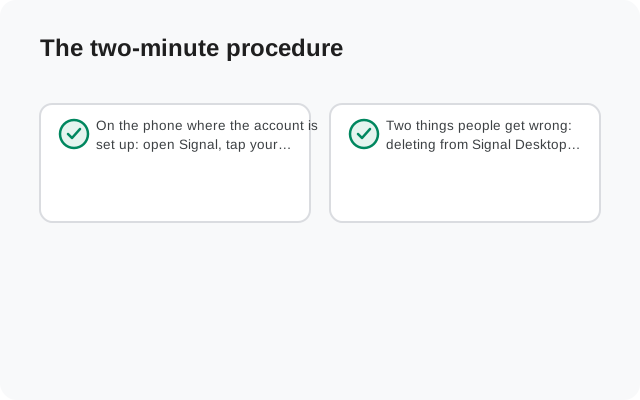
The two-minute procedure
On the phone where the account is set up: open Signal, tap your profile picture, go to Settings > Account > Delete Account, enter your phone number including the country code, and confirm. That's it. Your number stops being recognized as a Signal user immediately.
Two things people get wrong: deleting from Signal Desktop doesn't do this (Desktop can only wipe its own local data, since the account itself lives on the phone), and deletion is permanent the moment you confirm. The step-by-step walkthrough with screenshots of each screen is in our delete-your-account guide.
What Signal wipes on its servers
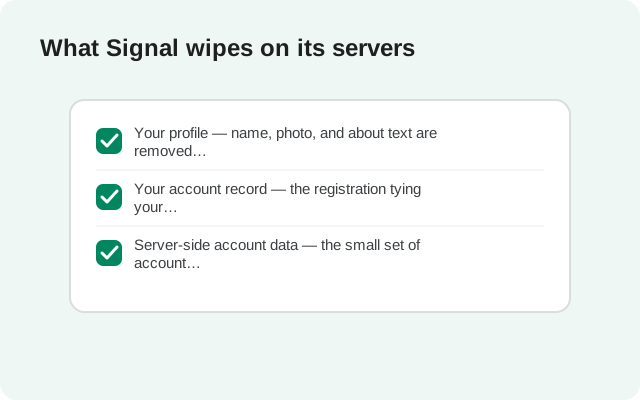
Because Signal stores so little, "everything" is a short list. That is exactly the point of its design. Deletion removes:
- Your profile: name, photo, and about text are removed from Signal's servers.
- Your account record: the registration tying your number to a Signal account is deleted. Your number is no longer recognized as a Signal user, so people can't message "you" anymore.
- Server-side account data: the small set of account metadata Signal keeps (registration info, last-connection data; see our metadata guide for the full inventory) goes with the account.
Message contents were never on the servers, so there's nothing to delete there. Nobody can recover anything from Signal afterward. This is the quiet advantage of the whole architecture: deletion is complete because there was so little to delete. Compare that with services that keep years of chat history server-side, where "delete my data" becomes a negotiation with backups, replicas, and retention policies. With Signal, the server-side footprint was minimal by design, so wiping it is straightforward and fast.
What survives deletion
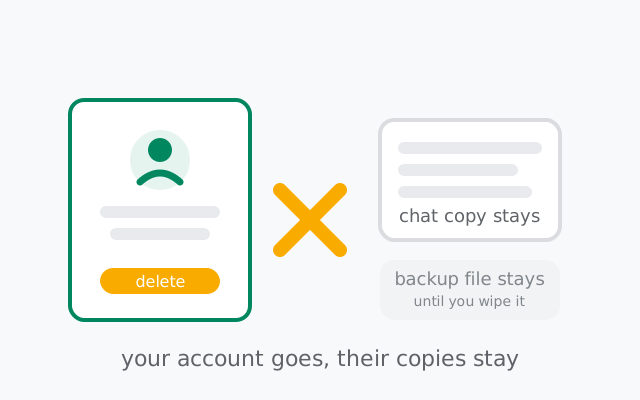
This is the part most people skip, and it's the part that matters. Deleting your account ends your account. It doesn't reach into anyone else's phone:
- Conversations on other people's phones. Every message you ever sent lives on in the recipients' chat histories. Deleting your account cannot delete what others already received. If specific messages need to go, delete them for everyone before deleting the account. Understand the limits of remote deletion first.
- Your own local database. Deleting the account doesn't wipe your phone's Signal data by itself. Your chat history sits in the app's local database until you uninstall Signal or wipe the device. If you're deleting for privacy reasons, uninstall after deleting. Don't leave the database sitting in a signed-out app.
- Backup files. Any Signal backup you've made is a separate file on your device or storage. Deleting the account doesn't touch it. Delete the backup files yourself if they shouldn't survive you.
- Screenshots, quotes, and forwarded copies elsewhere. Anything anyone saved outside the chat is entirely outside Signal's reach and unaffected by your deletion. Screenshots, copied text, and forwarded messages all count.
- Your number in other people's contacts. Their address books still contain your number; it just no longer resolves to a Signal account.
The 120-day inactivity cleanup
Signal automatically deactivates accounts that have been inactive for 120 days. If you stop using Signal for four months (no app opens, no re-registration), the account is cleaned up: the registration is released, the profile data is removed, and the number becomes available for fresh registration.
What this means in practice: taking a long break and coming back is effectively a fresh start. Your old chats are gone unless you kept a backup, your profile is gone, and your contacts will see you as a new registration. It's not a privacy feature you control. It's housekeeping, but it's worth knowing that abandoned accounts don't linger forever. If you're stepping away deliberately and want the same result immediately, delete the account yourself instead of waiting out the 120 days. And if you're keeping the account but just not opening the app for a while, remember the clock is running. Four months of silence is all it takes.
Deregister vs. delete
Two different operations get confused here:
- Deregister (re-register): registering your number on a new phone moves the account there and deregisters the old device. The account continues on new hardware, keeping the same number and profile. Your old phone's local data stays on the old phone unless you wipe it.
- Delete: ends the account permanently. The number is freed, the profile is gone, and there's no "undo". Re-registering later starts from zero.
| Deregister (re-register) | Delete | |
|---|---|---|
| What it does | Moves your account to a new phone; the old device is deregistered | Ends your account permanently |
| Your number | Stays with your account | Freed |
| Your profile | Kept | Gone |
| Starting over | Not needed; the account continues on new hardware | Re-registering starts from zero; no "undo" |
Between the two sits the registration lock: the PIN that stops someone else from registering your number on their device. If you're deleting because you lost a phone, the registration lock is what keeps your number yours in the meantime. Our re-registering guide covers the deregister path in detail.
Frequently asked questions
Does deleting my Signal account delete messages on other people's phones?
No. Deleting your account removes your profile and account data from Signal's servers, but conversations already delivered to other people's devices stay exactly where they are. Account deletion cannot delete what others already received.
Can I delete my Signal account from Desktop?
No. The account lives on the phone. Desktop can only wipe its own local data. Account deletion must be done in the phone app under Settings > Account > Delete Account.
What happens to my phone number after deletion?
Your number stops being recognized as a Signal user immediately, and the registration is released. After the cleanup, the number can be registered fresh: by you, or eventually by whoever holds the number next.
Will Signal delete my account if I stop using it?
Yes. Accounts inactive for 120 days are automatically deactivated and cleaned up. The registration is released and profile data is removed, so a long break is effectively a fresh start when you return.
Can I recover a deleted Signal account?
No. Deletion is permanent. Re-registering the number creates a brand-new account with empty chats. The only recovery path is a backup you made before deleting, restored during registration.
Is uninstalling the app the same as deleting my account?
No. Uninstalling without deleting leaves your account active. Your number stays registered and your profile remains until the 120-day inactivity cleanup. Delete first, then uninstall, if you want the account gone.
What do my groups see when I delete my account?
Your messages stay in the group's history. Deletion removes your account, not what other members already received. You simply stop being a member; the conversation you were part of remains with everyone else.
Deleting vs. just uninstalling
Uninstalling the app without deleting the account is not the same thing, and the difference trips people up. If you uninstall but don't delete:
- Your account stays active. Your number is still registered, your profile still exists, and people can still message "you". Their messages queue briefly on Signal's servers, waiting for a device that never comes.
- Your data stays on the servers. The account record, profile, and registration all remain until the 120-day inactivity cleanup eventually removes them.
- Reinstalling brings it all back. Register the same number again and you pick up where you left off: same profile, and your contacts see you as active.
So: uninstalling is a pause; deleting is an ending. If your goal is "I don't want this account to exist anymore," uninstalling alone doesn't get you there. It just starts a 120-day countdown to the same result. Delete first, then uninstall.
The 30-second pre-delete checklist
- Back up first if you want the history. A Signal backup before deleting preserves your chats for a future reinstall. Without it, deletion plus uninstall is unrecoverable.
- Save anything you need elsewhere. Photos, addresses, documents people sent you: export them now. After deletion they're only on other people's phones.
- Tell key contacts how to reach you next. Your number stops resolving to Signal immediately; people messaging the old account will just see undelivered messages.
- Remove linked devices first. Unlink Desktop and other devices so no signed-in copy of your account lingers anywhere.
- Then delete, then uninstall. Delete the account in Settings, then uninstall the app to clear the local database. In that order.
If you come back later
Re-registering your number after deletion starts completely fresh: empty chats, default settings, no profile. Anyone who messages you sees a new safety-number notice, because cryptographically it is a new account. The only bridge to your old life is a backup made before you deleted. Restore it during registration and your history comes back. Everything else starts at zero, which for most people deleting deliberately is exactly the point.
Keep reading
- How to delete your Signal account: the full step-by-step walkthrough
- Signal Android backups: backing up before you delete
- What metadata Signal stores: the full inventory of what deletion wipes
- Re-registering Signal: the deregister path, explained
- Disappearing messages limitations: what remote deletion can't fix
from Signal's official site — file hosted by Signal, not by us