
Home / Privacy / Censorship circumvention
Signal's built-in censorship circumvention: what it does and where to find it
Published: October 7, 2026 · Updated: October 8, 2026
Yes, Signal for Android has a built-in censorship circumvention setting. When your network blocks Signal's servers directly, flipping one toggle in Settings → Privacy → Advanced routes your traffic through a disguised path that most blocking systems cannot easily tell apart from ordinary web traffic. It is not a VPN, it will not work everywhere, and it can slow things down. This guide covers exactly where the setting lives, what it does in plain language, and when you need a real proxy instead.
from Signal's official site — file hosted by Signal, not by us
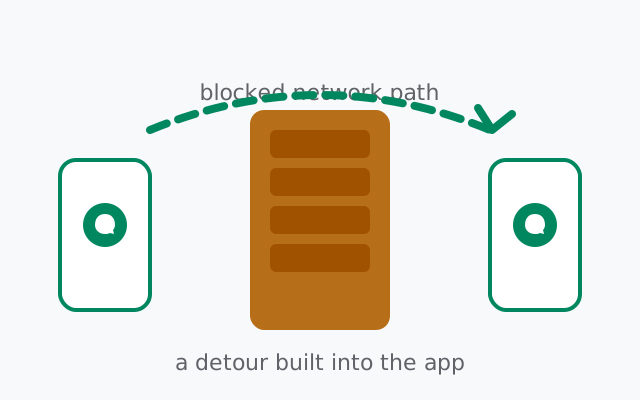
Where the setting lives
On Signal for Android: Settings → Privacy → Advanced → Censorship circumvention. It is a single toggle. Turn it on, and Signal reroutes its connection; turn it off, and it goes back to the direct path.
A few practical notes:
- You can toggle it before you need it. If you live somewhere Signal is blocked or might become blocked, turn it on now. It does no harm when blocking is not in place; it just takes a slightly different route.
- Leave it off if nothing is blocked. The direct connection is faster and simpler. The toggle exists for blocked networks, not as a general privacy upgrade: your messages are end-to-end encrypted either way.
- It needs an internet connection, obviously. Circumvention defeats blocking of Signal, not a total internet shutdown. If the network itself is down, no setting helps.
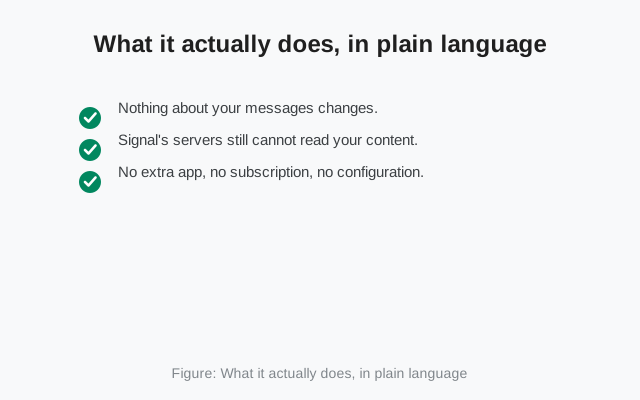
What it actually does, in plain language
When a network blocks Signal, it usually does so by recognizing Signal's server addresses and refusing to connect to them. Think of it as a bouncer with a list of banned names. The censorship circumvention setting gets you past the bouncer by disguising where your traffic is really going.
Technically, it routes your Signal traffic through an intermediary in a way that looks like ordinary encrypted web traffic to a major, unblockable service. The blocking system sees a connection to something it cannot afford to block and waves it through; inside that connection, your Signal traffic rides along. Security people call this family of techniques domain fronting and its successors. You do not need to remember the term; the mental model is enough: your traffic wears a costume the censor cannot ban without breaking the wider internet.
What matters for you:
- Nothing about your messages changes. They were end-to-end encrypted before and still are. The circumvention only changes the route, not the protection.
- Signal's servers still cannot read your content. The disguise is about the network path, not about who holds the keys.
- No extra app, no subscription, no configuration. It is one toggle inside Signal itself. That simplicity is the point: when blocking starts, people need something that works immediately, not a weekend project.
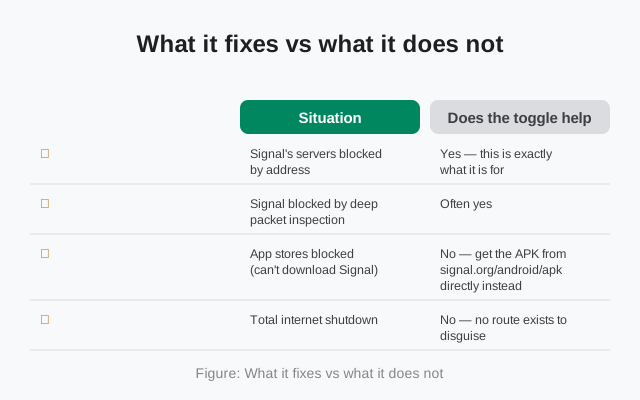
What it fixes vs what it does not
| Situation | Does the toggle help? |
|---|---|
| Signal's servers blocked by address | Yes. This is exactly what it is for |
| Signal blocked by deep packet inspection | Often yes. The disguised traffic resists simple inspection |
| App stores blocked (can't download Signal) | No. Get the APK from signal.org/android/apk directly instead |
| Total internet shutdown | No. No route exists to disguise |
| Throttled or degraded network | Partially. It may route around throttling aimed at Signal specifically |
| Wanting general anonymity | No. It is not a VPN and not an anonymity tool |
The honest limits
The toggle is good at its job, and its job is narrow. Go in with clear eyes:
- It is not a VPN. It disguises your route to Signal's servers. It does nothing for your other apps, your browsing, or your IP address visibility. If you need whole-device circumvention, you need a VPN or Tor, which are different tools for a different problem.
- Determined censors adapt. Blocking is an arms race. A technique that works today can be countered tomorrow, and Signal's team has had to evolve the mechanism more than once. If the toggle stops working, that does not mean Signal abandoned you; it means the other side moved.
- It can be slower. The disguised route is longer than the direct one. Expect slightly higher latency, and on poor networks, occasional message delays. For text chat this rarely matters; for calls it can.
- It does not hide that you use Signal from a sophisticated observer. It defeats blocking, which is its job. A state-level adversary doing deep traffic analysis is a different threat model, and no toggle fixes that.
- Availability varies by platform. The setting described here is the Android one. Other platforms have their own histories with circumvention features; check Signal's current help pages for your device.
Set expectations correctly: censorship circumvention is a fire escape, not a new front door. It exists so that blocking Signal's servers does not silence you. It was never meant to be your always-on connection mode or your anonymity system.
Blocked or just broken? How to tell
Before reaching for circumvention tools, confirm the problem is actually blocking. Signal failing to connect has several ordinary causes, and the toggle only fixes one of them:
- Everything else works, only Signal fails. Websites load, other apps connect, but Signal sits on "connecting" forever. That pattern points at Signal-specific blocking, and the circumvention toggle is the right first move.
- Nothing connects at all. No websites, no apps. That is a network outage or a full shutdown, not Signal blocking. No toggle or proxy helps; wait it out or find another network.
- Signal connects on mobile data but not on Wi-Fi (or vice versa). The blocking lives on one network, not the other. Switch networks if you can; use the toggle on the blocked one.
- Signal worked yesterday and fails today, everywhere. Check whether the app needs an update first. An outdated build failing to handshake looks exactly like blocking from the user's side.
- Messages send but calls fail. Partial blocking or throttling: the censor (or the congested network) lets small text through but kills the sustained streams calls need. The toggle may fix messaging fully while calls stay rough.
Two minutes of diagnosis saves a lot of flailing. The toggle is for the first pattern; the other patterns need different answers.
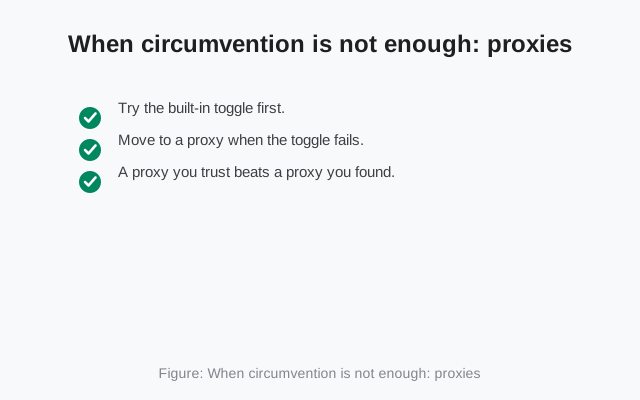
When circumvention is not enough: proxies
Sometimes the built-in toggle is not sufficient: the censor blocks the circumvention path too, or you need something the toggle was never designed for. That is when Signal proxies enter the picture. A proxy is a server run by a volunteer that forwards your Signal traffic; you enter its address in Signal's proxy setting, and your connection goes through it instead of directly to Signal's servers.
The relationship between the two tools:
- Try the built-in toggle first. It requires nothing: no addresses to find, no strangers to trust, no configuration beyond one switch.
- Move to a proxy when the toggle fails. If circumvention is on and Signal still cannot connect, a proxy gives you a different route controlled by someone outside the censor's reach.
- A proxy you trust beats a proxy you found. Proxy operators can observe connection metadata (when you connect, how much data moves), though never message content. Prefer proxies run by people or organizations you actually trust over random addresses from the internet.
Our proxy setup guide walks through the setting step by step, including where to find proxy addresses and the trust warnings that matter.
A note on calls under censorship
Voice and video calls are fussier than text under circumvention. Calls need low latency and steady throughput, and any detour, whether the built-in toggle or a proxy, adds both delay and jitter. If messages go through fine but calls stutter or fail while circumvention is on, that is expected behavior, not a bug. Text first, calls when the network allows. If calls matter to you, our voice calls guide covers the quality settings that help on poor networks.
Frequently asked questions
Where is the censorship circumvention setting in Signal?
On Signal for Android: Settings, then Privacy, then Advanced, then the Censorship circumvention toggle. It is a single switch with no further configuration.
Is Signal's censorship circumvention a VPN?
No. It only reroutes Signal's own traffic past network-level blocking of Signal's servers. It does not protect your other apps or browsing, and it is not an anonymity tool.
Does censorship circumvention make my messages more private?
No. Your messages are end-to-end encrypted whether the toggle is on or off. The setting changes only the network route, not the encryption.
Will the circumvention setting slow down Signal?
It can. The disguised route is longer than the direct connection, so expect slightly higher latency. Text messaging is rarely affected noticeably; calls may be.
What if the circumvention toggle does not work on my network?
Blocking is an arms race and censors adapt. If the toggle fails, the next step is a manually configured Signal proxy, which routes through a server outside the censor's reach.
Can I leave censorship circumvention on all the time?
You can, and it does no harm when nothing is blocked. But if nothing is blocked on your network, the direct connection is faster and simpler, so most people only enable it when needed.
Keep reading
- setting up a Signal proxy: when the built-in toggle is not enough
- can police read Signal messages?: a different kind of adversary
- downloading the official Signal APK: when app stores are blocked too
- Signal voice calls, explained: call quality on poor networks
from Signal's official site — file hosted by Signal, not by us