
Signal 8.30: The New Emoji and GIF Keyboard, Explained
Published: October 7, 2026 Updated: October 8, 2026
What is new in Signal 8.30?
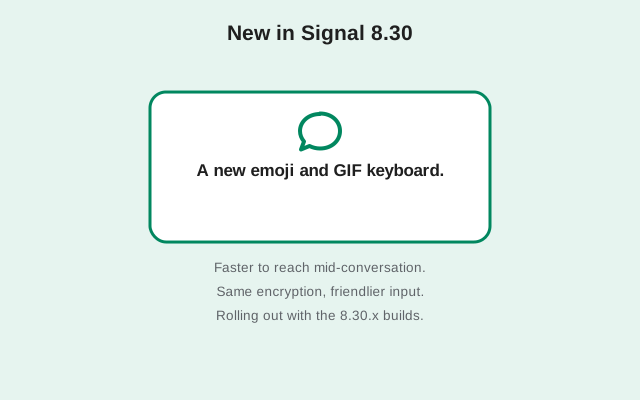
Signal's official release notes for the 8.30 line describe a single headline change: a new and improved keyboard for emojis, stickers, and animated GIFs. Signal's own note plays on the words, calling the improved keyboard its GIFt to you.
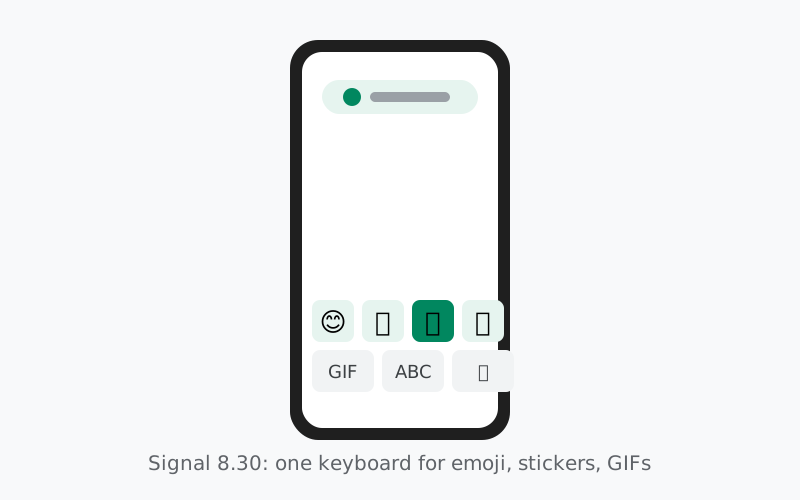
What does that mean in practice? Today, picking an emoji, a sticker, or a GIF in Signal involves separate pickers in the message composer. The 8.30 keyboard brings them together into one rebuilt input surface. If you reply with stickers, react with emoji, or send GIFs to punctuate a joke, this is the part of the app you will touch the most.
Who benefits most? Heavy sticker and GIF users, obviously, but also anyone who has ever hunted through menus to find the right reaction. A faster picker means fewer taps between thinking of something funny and sending it. Group chats, where emoji reactions and GIF replies fly fastest, should feel the difference first.
That is the complete published changelog for 8.30. Signal's release notes are short by design. They announce what is new and skip everything else. Bug fixes, crash fixes, and small polish ship in the same builds without a mention, which is why the notes fit in a sentence.
The 8.30.x build line
Here is the 8.30 line as officially documented on GitHub, where Signal tags each Android build:
| Build | Tagged | Status |
|---|---|---|
| 8.30.0 | September 30, 2026 | Beta tag on GitHub |
| 8.30.1 | October 2, 2026 | Beta tag on GitHub |
| 8.30.2 | October 5, 2026 | Beta tag on GitHub |
| 8.30.3 | October 7, 2026 | Beta tag on GitHub |
The pattern is Signal's normal one. The .0 build carries the new feature, and the .1 and .2 builds that follow within days are patches. Signal publishes no notes for the patch builds, which in practice means bug fixes and stability work. Nobody outside Signal can say exactly what changed between 8.30.0 and 8.30.2, and this guide will not pretend otherwise.
Beta or stable: what the tags mean
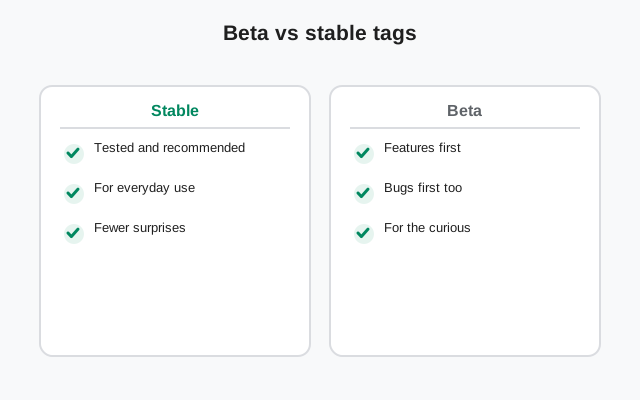
Every 8.30 build on GitHub currently carries the pre-release flag. In Signal's workflow, that flag marks the beta channel. Beta builds go out to testers first, and the stable build follows once Signal is satisfied. The beta channel is covered in detail in the Android beta guide.
For most people, the practical question is simpler: should you care about 8.30 right now? If you run the website build from Signal's download page, you are on 8.29.3, which is the current stable release. When 8.30 is promoted to stable, your app will offer the update by itself. There is no need to chase beta builds unless you want to test features early.
One more thing the tags tell you: each beta build ships with its own APK file on the GitHub release page. Those files are the GitHub channel builds, meant for testers. The file served to the public on Signal's download page is the website channel build, and it gets updated separately. The APK filename guide explains how to read the file names so you always know which channel a file came from.
The bigger picture around 8.30
While Android testers were trying the new keyboard, Signal's blog announced a bigger milestone landing at the same time: the completion of Secure Backups across all platforms, timed with the launch of iOS version 8.30.
Here is what the announcement covers, in plain words. On-device backups, which let you keep an encrypted copy of your messages wherever you choose, arrived on Desktop and iOS for the first time. Android's backups were rebuilt in the same cross-platform format, so a backup made on one platform can be restored on another. Backup media is now stored separately from the main archive, and duplicate files are saved only once, which keeps repeated snapshots from eating your storage. Paying users get a new option to move older media off the phone while keeping thumbnails, pulling the full files back from the hosted backup on demand.
Why mention this on an Android page? Because it shows how Signal's version numbers work across platforms. iOS 8.30 and Android 8.30 are separate version lines for separate apps. iOS's 8.30 brought backup improvements; Android's 8.30 brought the new keyboard. Same number, different apps, different features. The version numbering guide explains how to keep the lines straight.
For Android users, the relevant backup news is the format rebuild: your on-device backups now use the same cross-platform format as iOS and Desktop. If you keep local backups, they are smaller and portable. The Android backup guide covers the options.
How to get 8.30
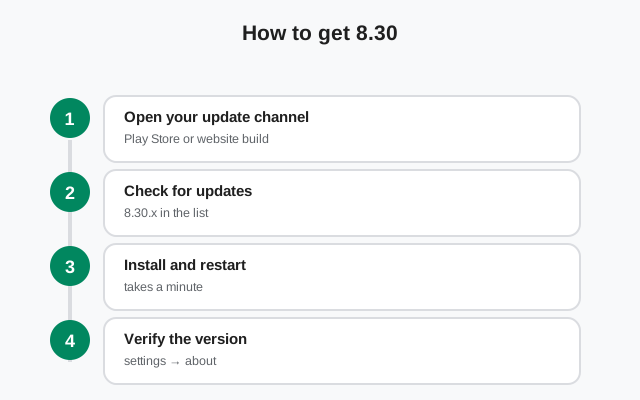
Nothing about 8.30 changes how updates work. The path depends on which build you run:
- Website build: the app checks for its own updates and offers them inside the app. When 8.30 reaches stable, accept the offer and it installs over your current build, chats intact.
- Play build: update through the Play Store like any other app.
- Manual route: download from Signal's official download page and install over your current website build. Same signature, so your data stays.
Before any update, make sure your backup is current. Updates are safe, but a backup is cheap insurance and takes a minute. The update walkthrough covers the manual path step by step.
How to read Signal's changelog yourself
You do not have to take this guide's word for any of it. Signal publishes its Android release notes in the open, and reading them takes a minute:
- Open the official GitHub releases page.
- Look for tags named like v8.30.2. The v prefix is just GitHub's tag naming; the version is 8.30.2.
- Read the short note under the tag. That is the entire official changelog for the feature release.
- Check the pre-release flag. Flagged builds are beta; unflagged builds are stable.
Two habits will keep you honest. First, patch builds almost never get notes, so "no notes" means "bug fixes," not "nothing changed." Second, Signal's notes describe the feature release only. If you want to know what is new in the app you actually installed, match the first two numbers: 8.30.x means the 8.30 feature set, whatever the third digit says.
8.30 in context
Releases make more sense in sequence. Right before 8.30 came 8.29, the media editor release, which rebuilt the photo and video editor for tablets and foldables and added one-tap audio removal from videos. Before that, 8.28 introduced the phone-number-free signup beta. So the 8.28 to 8.30 stretch is Signal polishing the everyday experience: how you sign up, how you edit media, and now how you pick emojis and GIFs.
For what comes after 8.30, this guide follows the same rule as the rest of the site: only officially documented information. Newer builds will get their own coverage once their notes are published: the newest tag on GitHub as of October 7 is a v8.31.0 beta carrying the same keyboard note as the 8.30 line. The Android version history keeps the longer timeline.
from Signal's official site, file hosted by Signal, not by us
Frequently asked questions
What is new in Signal 8.30?
The one officially documented change is a new and improved keyboard for emojis, stickers, and animated GIFs. Signal published this in the release notes for the 8.30.x builds on GitHub. Bug fixes ship without published notes.
Is Signal 8.30 out yet?
Signal has tagged four 8.30 builds on GitHub (v8.30.0 through v8.30.3, between September 30 and October 7, 2026), all marked as beta builds, and a v8.31.0 beta tag followed on October 7. The stable build on Signal's official download page is still 8.29.3.
How do I update to 8.30?
If you run the website build, the app offers updates itself. Play Store users update through the Play Store. You can also download the newest build manually from Signal's official download page. Back up first.
Is the 8.30 keyboard available on iPhone too?
iOS and Android version numbers run separately. Signal announced different 8.30 changes for iOS (backup improvements) than for Android (the new keyboard). What ships on one platform does not always ship on the other.
Where is the official 8.30 changelog?
On the official GitHub releases page, under the v8.30.0 through v8.30.3 tags, which all carry the same keyboard note.
Should I wait for 8.30 or install 8.29.3 now?
Install 8.29.3 now. It is the current stable website build. When Signal promotes 8.30 to stable, the website build will offer it to you by itself.
Related guides: all version guides · the 8.29 media editor release · check the current build · the beta channel · how updates work