
Signal for nonprofits: secure team communication on a zero budget
Published: October 7, 2026 · Updated: October 8, 2026
For nonprofits, Signal's pitch is simple: it is free, it works on the cheapest Android phones, and it keeps sensitive conversations private without an IT department. Field coordinators, volunteer networks, and small program teams can run their daily communication on Signal at zero software cost. But free does not mean effortless: someone still has to onboard volunteers, manage groups, and think about donor privacy and record-keeping. This guide covers how nonprofits actually use Signal in the field, how to get volunteers set up in minutes, and where the honest limits are.
from Signal's official site — file hosted by Signal, not by us
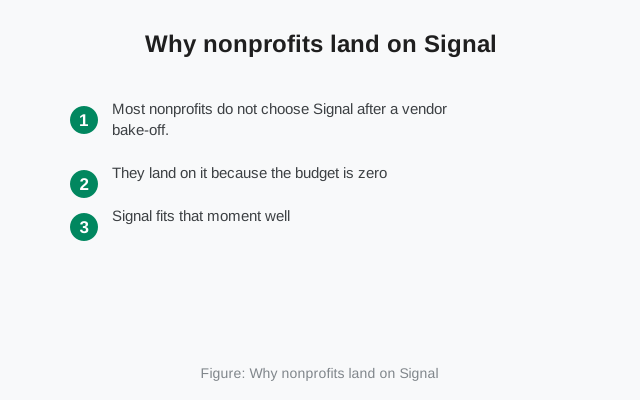
Why nonprofits land on Signal
Most nonprofits do not choose Signal after a vendor bake-off. They land on it because the budget is zero, the team is scattered, and someone needs to coordinate twenty volunteers by Thursday. Signal fits that moment well: no licenses, no procurement, no training course. If a volunteer can use a chat app, they can use Signal.
The privacy angle matters more for nonprofits than for most small businesses. Program staff discuss beneficiaries, some of them vulnerable. Advocacy teams discuss strategy that opponents would love to read. Health and legal-aid programs handle information people shared in confidence. On an ad-supported messenger, those conversations feed someone's targeting model. On Signal, the contents are end-to-end encrypted and the service is built to know as little as possible. For organizations whose whole mission is trust, that is not a nice-to-have; it is alignment between the tool and the values.
There is also a quiet practical advantage: Signal is one app across Android, iPhone, and desktop, and the experience is the same everywhere. A nonprofit with a mix of donated phones, personal devices, and a couple of office desktops does not need to standardize hardware first. The business teams guide covers the general team setup; this page focuses on what is different when your "staff" are volunteers who might leave next month.
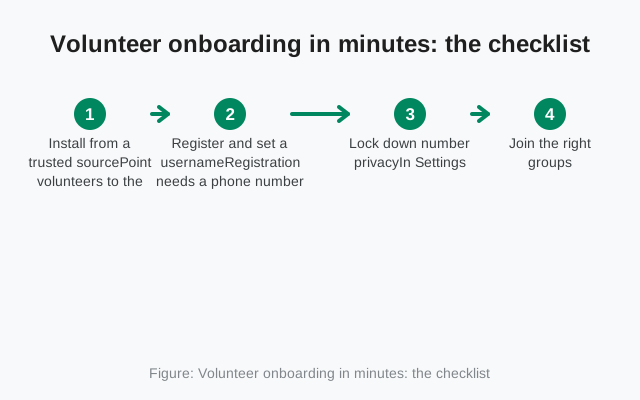
Volunteer onboarding in minutes: the checklist
Volunteers are the hard part of nonprofit Signal use, because they arrive untrained, use their own phones, and leave without notice. The fix is a short, repeatable onboarding ritual that takes five minutes and needs no technical skill. Print this checklist and hand it to every new volunteer.
Install from a trusted source
Point volunteers to the Play Store listing, or to Signal's official APK page on phones without the Play Store. Never let anyone install Signal from a random APK site; a tampered messenger is worse than no messenger. Our download guide shows the safe path.
Register and set a username
Registration needs a phone number, one per volunteer, and that number stays private if settings are right. Have each volunteer pick a username in the format your org uses, for example firstname.lastname or firstname-team. The username is what everyone else sees.
Lock down number privacy
In Settings, set phone-number visibility so it is not shown to everyone. Volunteers should not have their personal numbers visible to dozens of people they barely know. Check this setting together during onboarding; most people never open it on their own.
Join the right groups, no more
Add the volunteer only to the groups they need: their team, their shift, and the announcements channel. A volunteer in fourteen groups is a volunteer who mutes everything and misses the one message that mattered. Group links with admin approval make this scalable.
Set disappearing messages for field groups
Field coordination chats accumulate location details, beneficiary names, and schedules. A disappearing timer of a day or a week keeps that from living on lost phones forever. Explain what the timer does and does not do: it deletes from devices, it does not stop screenshots.
Show them the safety-number check
For anyone handling sensitive information, demonstrate how to verify a contact's safety number once, in person or over a trusted channel. It takes thirty seconds and it is the difference between "probably talking to the coordinator" and "knowing."
Tell them what happens when they leave
Offboarding starts at onboarding. Tell volunteers plainly: when your stint ends, you will be removed from the groups and you should delete the chats. Write it into the volunteer agreement so it is expected, not awkward.
Run this as a group session for each volunteer intake and the whole thing takes under ten minutes per person. The most common failure is skipping step three and discovering months later that every volunteer's personal number is visible to the entire network.
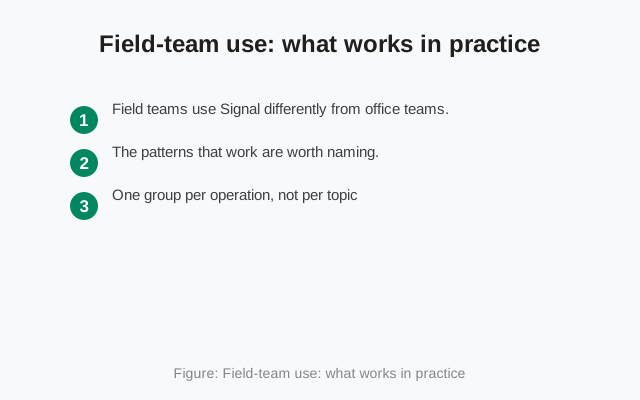
Field-team use: what works in practice
Field teams use Signal differently from office teams. The patterns that work are worth naming:
- One group per operation, not per topic: "Saturday food drive" beats separate groups for logistics, volunteers, and photos, because field staff check one stream while moving.
- Voice notes over typing when hands are busy or literacy varies across the team; Signal's voice messages are quick and encrypted like everything else.
- Photos from the field for verification: a photo of a delivered supply drop or a completed repair, sent to the group, is both coordination and a lightweight record.
Location sharing: opt-in only
Location sharing deserves a careful note. Signal lets people share their live or static location, which is genuinely useful for coordinating dispersed teams ("the van is here"). It is also sensitive data. Make location sharing opt-in per situation, never a standing requirement, and prefer static pins over live sharing unless the operation truly needs it. A volunteer who feels tracked will stop using the app, and then you have lost the coordination channel entirely.
Admin discipline for churning membership
Admin discipline matters more in the field because membership churns. Give each operational group two admins, and make one of them a staff member rather than a volunteer, so groups survive volunteer turnover. Review membership monthly: remove people whose stint ended. A group full of ex-volunteers who can still read current plans is a security hole wearing a friendly face. The field-team patterns page goes deeper on dispersed-team setups.
Donor communication and privacy
Donors increasingly expect the same privacy nonprofits promise beneficiaries. If a major donor wants to discuss a gift over Signal, the mechanics are easy: share the organization's Signal username or QR code, verify safety numbers once, and talk. The encryption and minimal metadata that protect field chatter protect donor conversations too.
But donor communication has a records side. Pledges, gift agreements, and anything with financial or legal weight should live in your donor management system and email, not in a chat thread. Use Signal for the conversation and move the commitments into the system of record the same day. This is the same line drawn in the business guide: chat is coordination, the record lives elsewhere. For nonprofits the stakes are donor trust and audit readiness, so the line matters even more.
| What it is | Where it lives |
|---|---|
| Discussing a gift with a donor | Signal chat, one-to-one, with a generous disappearing timer |
| Pledges, gift agreements, anything with financial or legal weight | Donor management system and email, moved the same day |
| A donor's participation and identity | One-to-one only; never in internal groups |
One more donor-specific point: never add donors to internal groups, and never let internal group membership leak donor identities to each other. A donor's participation in your cause is their information to share. Keep donor chats one-to-one, with disappearing messages on a generous timer, and keep the fundraising team trained on the difference between a broadcast announcement and a private conversation.
Low-bandwidth and old-phone reality
A fair question for field work: does Signal behave on a weak connection and an old phone? Qualitatively, yes, with caveats worth knowing. Text messages are tiny and go through on connections where little else works; in poor-signal areas, Signal texts routinely succeed while image-heavy apps stall. Voice notes compress well and are often more reliable than a live call on a shaky connection. Calls adapt quality downward rather than dropping outright, though a truly bad connection defeats any calling app.
On old phones, Signal runs on modest hardware, but keep expectations honest. Very old Android versions eventually lose support as the app moves forward, so check the minimum version before a big field deployment and keep a couple of spare devices on the current release. Media-heavy groups (dozens of photos a day) will fill small storage quickly; teach the team to save what matters and let disappearing messages clear the rest. Nothing here is a dealbreaker, but a field coordinator who has tested the setup on the actual phones the team carries will have fewer surprises than one who assumed.
What Signal can't do for you
The honest limits, nonprofit edition.
Signal cannot be your case-management or donor system. Beneficiary records, case notes, donor histories, and financial data belong in proper systems with access controls, backups, and retention policies. Chat threads are not records, and a volunteer's phone is not a database.
Signal cannot enforce your safeguarding policy. If your work involves children or vulnerable adults, your safeguarding rules about who contacts whom, and how, must be written and trained, because the app will not enforce them. One-to-one chats between staff and beneficiaries deserve explicit policy, not assumptions.
Signal cannot manage volunteers centrally. No admin console means no at-a-glance roster, no forced settings, no remote wipe. Offboarding is a manual checklist: remove from groups, confirm chat deletion, rotate anything shared. Build the checklist; do not rely on memory.
Signal cannot make a lost phone safe by itself. Disappearing messages shrink the window of exposure, but a phone without a lock screen, or with an unlocked Signal, gives up its chats. Field devices need lock screens, and the onboarding checklist should verify that, not assume it.
Signal cannot satisfy grant or legal record-keeping on its own. If a grant requires communication records, or local law requires archiving certain organizational messages, those live in your email and document systems. Decide in advance which conversations count, and keep them out of disappearing-message groups.
The real cost of free
Signal costs nothing in licenses, and that is genuinely transformative for a small nonprofit. But "free software" still has a price, and it is paid in staff time. Someone writes the one-page policy. Someone runs the ten-minute onboarding for each volunteer intake. Someone reviews group membership monthly and handles offboarding. Someone answers the "I lost my phone" message at 9pm.
Budget that time honestly and Signal is still by far the cheapest option. Pretend the time does not exist and you get group sprawl, stale membership, and volunteers whose numbers are visible to everyone. The organizations that run Signal well treat it like any other program asset: small, but owned by someone named. For most nonprofits that someone is the operations coordinator or the volunteer manager, and the workload is a few hours a month once the setup is done.
Finally, a note on sustainability: Signal is run by a nonprofit foundation funded by donations, not by ads or data sales. If your organization depends on it, consider donating. It is both good karma and enlightened self-interest: the tool your field teams rely on stays independent because people like you keep it that way.
Frequently asked questions
Is Signal really free for nonprofits?
Yes. There are no licenses, tiers, or nonprofit-application hoops. The cost is staff time for onboarding, group management, and policy, which you should budget honestly.
How do we onboard volunteers without sharing personal numbers?
Each volunteer registers with their own number, then sets a username and locks down number-privacy settings. Everyone else sees the username. Use QR codes or group links for fast joining.
Can we use Signal for beneficiary case notes?
No. Case notes belong in a proper case-management system with access controls and backups. Chat threads on volunteers' phones are not records and must not be treated as such.
Does Signal work on old phones and weak connections?
Text and voice notes work well on weak connections and modest phones. Check minimum Android versions before a big deployment, and keep media-heavy groups tidy on small-storage devices.
What happens when a volunteer leaves?
Remove them from every group, ask them to delete work chats, and rotate anything they had access to. There is no central deprovisioning, so keep a written offboarding checklist.
Keep reading
- the general business teams guide
- field-team patterns for dispersed staff
- the team onboarding walkthrough
- how disappearing messages really behave