
Running Signal on Android 7 or 8: Your Options
Published: October 7, 2026 · Updated: October 8, 2026
What Android 7 and 8 users experience today
The good news first: Signal still installs, updates, and runs on Android 7 and 8. New builds arrive the same way they do on newer phones. If your version number has not moved in months while other people's phones show something newer, that is a stalled update, not the end of support. Our stuck-on-an-old-version guide helps you fix that.
What you have lost: years of operating-system security patches from Google. The app is current; the platform underneath it is frozen. For casual chatting, that is a background risk. For sensitive conversations, it is worth factoring into your plans.
One more honest note: this section will need an update one day. When Signal's floor rises past Android 7, new builds will quietly stop arriving on Nougat phones, then later on Oreo. That day has not come. This page exists so you are ready for it, not surprised by it.
Why these versions are next in line
Two forces decide which Android versions Signal supports. First, Google itself stopped shipping security patches for Android 7 and 8 years ago. The underlying operating system is unmaintained, whatever apps you run on it. Second, Signal's developers can only test and support so many Android generations. Each one they keep costs engineering time that could go into the app itself.
The result is the pattern described in our support timeline: the floor rises a little every era, and the oldest releases stop being served. Android 7 and 8 sit just above today's floor, which is exactly why they are next in line. If your phone is on Android 7, our Android 7 install notes still describe the current process; likewise the Android 8 notes. Check our minimum-version tracker every few months so the move is never a surprise.
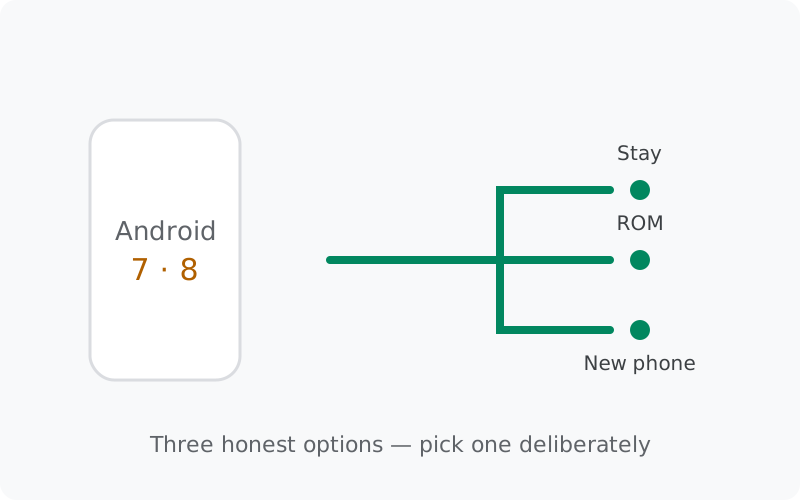
Option 1: keep using your phone as-is
The simplest option is to change nothing, because nothing is broken yet. Your Signal keeps working, and it keeps updating. This is a legitimate choice, as a bridge. Here are the honest terms:
- The app stays current, but the operating system is frozen. Every Android vulnerability Google stopped patching years ago stays open on your phone. For casual chatting this is a background risk; for sensitive conversations, it matters.
- New builds will stop one day. When Signal's floor moves past your Android version, updates end quietly: no error, no announcement, just silence. The minimum-version tracker tells you where the floor sits today.
- Backups still work. Keep chat backups on and keep your 64-character recovery key safe. If anything goes wrong, the backup is your way out. Our Android backup guide covers it.
- Don't install "updates" from strangers. Old phones are prime targets for fake update prompts. Only ever take Signal builds from Signal's own APK page. Our fake-APK guide shows what the scams look like.
Keeping your phone is reasonable for a few months while you plan your next move. As a permanent plan, it means accepting that your phone's security stopped improving years ago, and that Signal's floor will eventually leave your version behind.
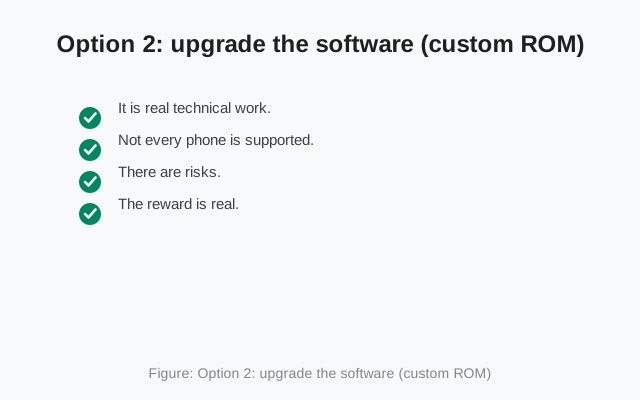
Option 2: upgrade the software (custom ROM)
A custom ROM replaces your phone's Android with a community-maintained version, often a much newer one. Projects like LineageOS keep old phones running modern Android long after the manufacturer gave up. If it works on your model, your phone can run current Signal builds again.
The honest trade-offs:
- It is real technical work. Unlocking the bootloader, flashing a ROM, and setting everything up again takes an afternoon and a tolerance for risk. If terms like "bootloader" are new to you, this path has a learning curve.
- Not every phone is supported. ROM projects support specific models. Check whether yours is on the list before investing hope.
- There are risks. A failed flash can leave the phone unusable until fixed ("soft-bricked"). Back up everything, not just Signal, before starting.
- The reward is real. A successful ROM install gives an old phone years of extra life with current apps and current security patches.
Our custom-ROM install guide walks through the whole process, including installing Signal on a ROM-based phone. Read it fully before deciding. It is written to help you judge whether this path fits you.
Option 3: move to a newer phone
The cleanest and least stressful fix: move to a phone that runs a supported Android version. This does not have to mean an expensive flagship. Any reasonably recent phone, even a budget model from the last few years, runs current Signal without drama.
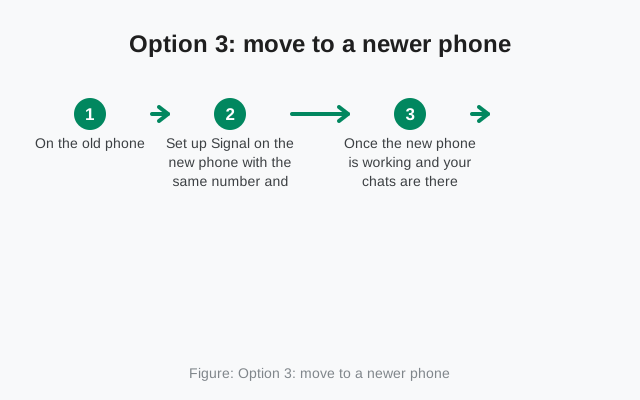
The move itself is straightforward if you prepare:
- On the old phone, make a fresh chat backup and confirm your 64-character recovery key is readable. (The 30-digit format is retired; regenerate if yours is old.)
- Set up Signal on the new phone with the same number and restore the backup during setup. Our phone-transfer guide covers every step.
- Once the new phone is working and your chats are there, you can retire the old one, or repurpose it as a Wi-Fi-only device without Signal.
Keep the old phone's backup until you are fully settled on the new one. Belt and suspenders: two copies of your history until the move is proven.
Which option is right for you
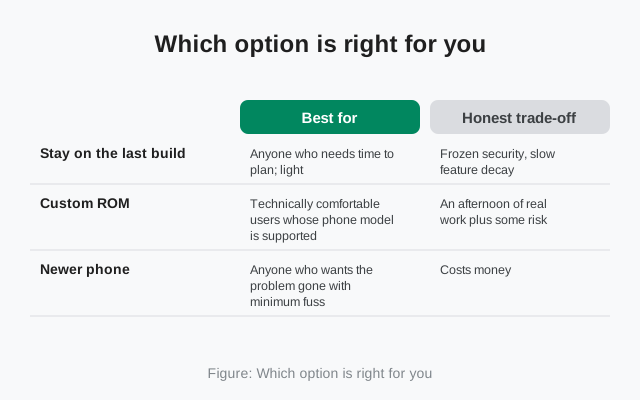
| Option | Best for | Honest trade-off |
|---|---|---|
| Keep using the phone | Anyone who needs time to plan; light, non-sensitive use | Works today, OS unpatched, floor will rise: fine for months, plan the next move |
| Custom ROM | Technically comfortable users whose phone model is supported | An afternoon of real work plus some risk, for years of extra phone life |
| Newer phone | Anyone who wants the problem gone with minimum fuss | Costs money, but even a recent budget phone solves it completely |
There is no shame in any of these. The only bad choice is drifting: staying on the old build by inertia, without ever deciding, while the security gap quietly grows.
What not to do
- Don't install "modded" or "patched" Signal builds promising new features on Android 7/8. They are a classic malware delivery method. Our fake-Signal-APK guide explains the pattern.
- Don't download old-or-new APKs from archive sites. Third-party "every version ever" sites repackage installers; the mirror warning page covers why.
- Don't disable security settings to force an install. If the official APK refuses to install on your phone, that refusal is protecting you. Forcing it with lowered guards trades one problem for a worse one.
- Don't factory-reset the old phone hoping updates return. A reset cannot move the support floor. You will just spend an afternoon restoring a phone that is still unsupported.
from Signal's official site, file hosted by Signal, not by us
Frequently asked questions
Is Signal still working on Android 7?
Yes, and new builds still arrive. Android 7 sits above today's support floor. What stopped is Google's own security patches for Android 7: the app is current, but the operating system underneath it is not.
Can I install the newest Signal on Android 8?
Yes. Android 8 is above the floor and updates arrive normally. If the installer ever refuses with a compatibility message, the floor has moved past your phone; until then, there is nothing to work around.
Is it safe to stay on Android 7 or 8?
The Signal app itself keeps updating on these versions, so app security stays current. The frozen part is your operating system: Google stopped patching it years ago. For casual use while you plan, the risk is background-level; for sensitive chats, or as a permanent setup, it is worth moving on.
What's the cheapest safe path forward?
If you're technically comfortable and your model is supported, a custom ROM costs nothing but an afternoon. Otherwise, a recent budget phone is the clean fix. It doesn't need to be a flagship to run current Signal.
Will my chats transfer to a new phone?
Yes. Make a fresh chat backup on the old phone, keep your 64-character recovery key readable, and restore during setup on the new phone with the same number. The transfer guide walks through it step by step.
Related guides: all version guides · Android support timeline · custom ROM install guide · moving to a new phone · when your old phone can't carry Signal · spotting fake Signal APKs