
Signal in 2026: The Updates That Actually Mattered
Published: October 7, 2026 · Updated: October 8, 2026
The 2026 timeline
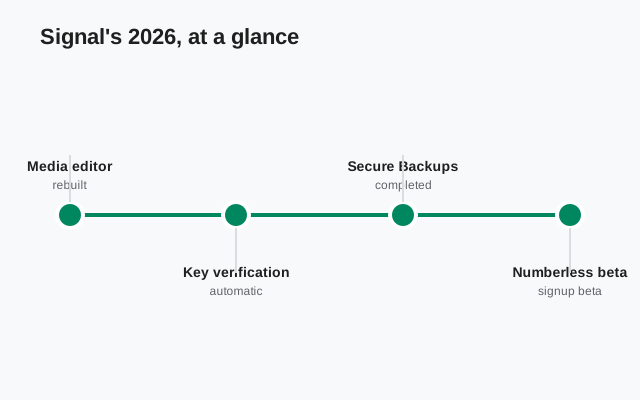
One table, the whole year. Dates are given only where Signal's own pages confirm them; blog announcements without a visible date are listed as 2026.
| When | Update | What changed |
|---|---|---|
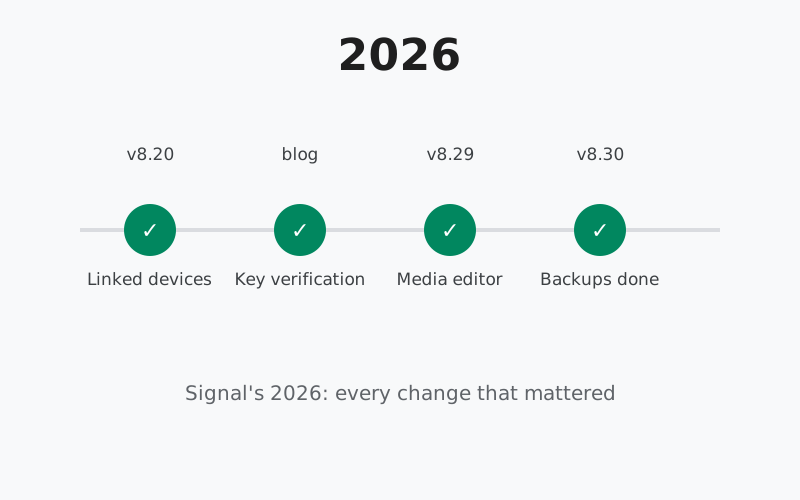
| 2026 | Linked devices (Android v8.20, iOS v8.22) | Link a second Android phone or tablet to your account; messages stay in sync; interface improved for large screens. Announced on Signal's blog. |
| 2026 | Automatic key verification | A streamlined way to confirm nobody sits between you and the other end of an encrypted chat, alongside the existing safety number system. Announced on Signal's blog. |
| 2026 | Group member labels | Labels like "Coach" next to names in group chats, so roles stay clear across friends, family, and work groups. Announced on Signal's blog. |
| 2026 | Pinned messages | Pin important messages to the top of 1-1 and group chats. Announced on Signal's blog. |
| September 2026 | Phone-numberless signup beta (8.28.0) | Optional registration without a phone number, with a small one-time anti-spam fee. GitHub release notes. |
| September 2026 | Rebuilt media editor (8.29) | Editor redesigned for tablets and foldables; one-tap audio removal from videos. GitHub release notes. |
| September 30, 2026 | Secure Backups completed (iOS 8.30 launch) | On-device backups on Desktop and iOS for the first time; Android rebuilt in a cross-platform format; restore across platforms. Signal's blog. |
| Sept 30 – Oct 5, 2026 | New emoji and GIF keyboard (8.30.0–8.30.2) | Rebuilt keyboard for emojis, stickers, and animated GIFs. GitHub release notes, beta tags. |
Two sources sit behind every row: Signal's blog for the big milestones, and the GitHub releases page for the Android build-by-build record. Anything you read elsewhere about 2026 Signal updates, treat as unconfirmed unless one of those two sources backs it.
Linked devices: a second phone or tablet
For years, "linked device" meant a desktop or an iPad. In 2026, Signal's blog announced that the Android app could link another Android phone or Android tablet, with messages staying in sync across every screen. iOS got the matching ability to link an iPhone.
The announcement paired the feature with interface improvements for large devices, which makes sense: a second phone is a small screen, but a tablet is not, and Signal's phone-first layout had never been comfortable there. This was the start of a thread that ran all year, with the 8.29 media editor later continuing the large-screen work.
Who benefits: anyone with a spare phone, a tablet they actually use, or a work phone and a personal phone. Two phones, one Signal account, messages in both places.
Automatic key verification
Signal's blog announced automatic key verification, a feature that sits next to the existing safety number system. The idea is simple: Signal is always end-to-end encrypted, and this gives you an additional, streamlined way to confirm there is no unexpected party between you and the other end of a conversation.
Safety numbers, the old way of checking, require both people to compare long strings of digits through some other channel. Most people never do it. Automatic verification lowers the effort to near zero. You do not need to understand the cryptography to benefit from it; the check happens, and you get the assurance.
Member labels and pinned messages
Two small group-chat improvements arrived in 2026, both announced on Signal's blog. Group member labels let you tag people with their role, so "Coach" or "Plumber" shows next to the name in the group. Pinned messages let you pin the important stuff, dinner plans, addresses, the question everyone keeps asking, to the top of 1-1 and group chats.
Neither changes encryption or privacy. They change something just as real: how usable a busy group chat is. Small features like these are the ones people notice daily, which is why they make a year-in-review even though no version number is attached to them in the headlines.
Phone-numberless signup beta
In September, 8.28.0 introduced the Signal Login beta: optional registration without a phone number. A small one-time fee keeps spam accounts expensive to create, and Signal's notes stress that the payment is never tied to the new account.
This is the most structural change of the year on Android. Keyboards and editors change how the app feels; a new registration path changes who can use it. It arrived as a beta, so expect it to evolve before it becomes the finished article.
The rebuilt media editor
Also in September, 8.29 rebuilt the media editor from the ground up for tablets and foldables, and added the option to strip the audio track from a video before sending it. The 8.29 line now stands at 8.29.3, the current stable website build.
Taken with the linked-device work from earlier in the year, the direction is unmistakable. Signal spent 2026 making the app behave on screens that are not phones. If you use Signal on a tablet, the 8.20 to 8.29 stretch is when the app started taking your screen seriously.
The new emoji and GIF keyboard
Closing out September, the 8.30 betas introduced a rebuilt keyboard for emojis, stickers, and animated GIFs. Three beta builds, 8.30.0 through 8.30.2, shipped between September 30 and October 5, all carrying the same one-line changelog.
It is the smallest headline of the year, and that is fine. Not every release needs to be structural. The keyboard is the part of the app most people touch most, and making it faster pays off in every conversation.
Secure Backups completed
The year's biggest milestone landed alongside iOS 8.30, announced on Signal's blog on September 30, 2026. Secure Backups, introduced a year earlier, were finished across every platform:
- on-device backups arrived on Desktop and iOS for the first time,
- Android's backups were rebuilt in the same cross-platform format, and
- a backup made on one platform can now be restored on another.
The practical details matter. Media is stored separately from the main archive, duplicates are saved only once, and paying users can move older media off the phone while keeping thumbnails. The hosted tier covers text plus recent media for free, with a 100GB media option for paying users. Disappearing messages set to vanish within 24 hours stay out of backups either way.
For Android users, the takeaway is the format rebuild: local backups are smaller and portable now. The Android backup guide walks through the options.
How to stay updated
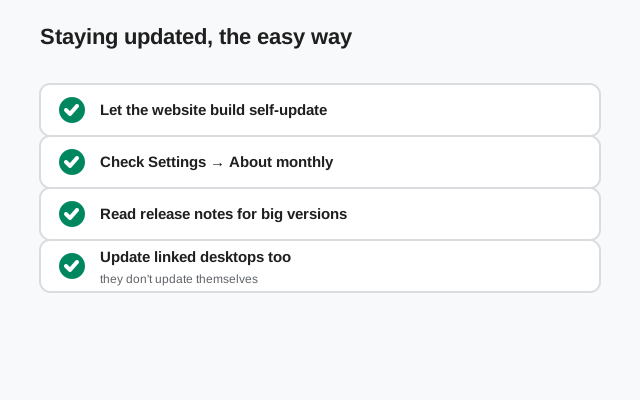
The 2026 updates reached phones through the normal channels, and so will whatever comes next:
- Website build: the app offers updates itself. Accept them.
- Play build: updates arrive through the Play Store.
- Manual route: Signal's official download page always serves the current website build.
Back up before updating, and get new versions only from Signal. The update walkthrough covers the manual path, and the current build guide tells you what the newest version is right now.
from Signal's official site, file hosted by Signal, not by us
Frequently asked questions
What was the biggest Signal update of 2026?
The completion of Secure Backups across all platforms stands out: on-device backups arrived on Desktop and iOS, Android's backups were rebuilt in a cross-platform format, and backups can now move between platforms. Signal announced it on its blog as iOS 8.30 launched.
Did Signal change a lot on Android in 2026?
Yes. The Android line moved from 8.20 to 8.30 during the year, with linked Android phones and tablets, a rebuilt media editor, a phone-numberless signup beta, and a new emoji, sticker, and GIF keyboard.
Where can I read every 2026 changelog?
Signal publishes Android release notes on the official GitHub releases page, newest tags first. Big milestones get their own posts on Signal's blog.
Do I need to update to get these features?
Most features arrive through normal updates. The website build offers updates in the app; the Play build updates through the Play Store. Manual download from Signal's official download page is the fallback.
Will my old phone get the 2026 updates?
Updates require a supported Android version. Signal drops the oldest Android releases over time, so a very old phone may stop receiving updates. Check the current build guide if an update never arrives.
What is coming next after 2026?
Signal does not pre-announce its roadmap. New features appear first as beta tags on GitHub. This guide covers each release once its notes are published.
Related guides: all version guides · 8.28 numberless signup · 8.29 media editor · 8.30 keyboard · full version history · 2025 year in review