
Archive Signal Chats: What Hide Really Means
Published: October 7, 2026 · Updated: October 8, 2026
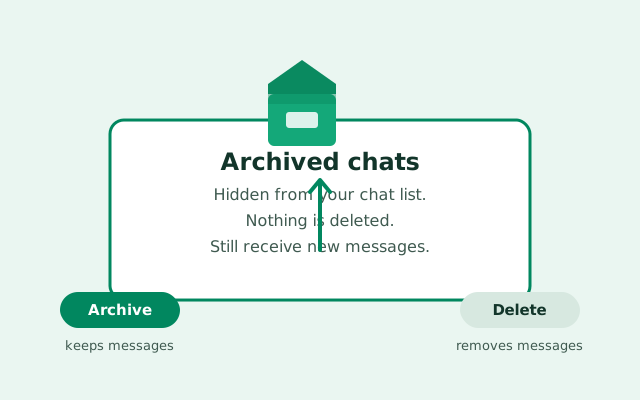
Archiving is Signal's way of saying out of sight, not out of existence. It moves a conversation into a collapsed section of your chat list, where it stays until you look for it, or until someone sends a new message, which brings it right back. Archiving never deletes a single message, it never affects the other person, and it is completely reversible. This guide covers how to archive and unarchive, how archive differs from delete, and the one behavior that surprises everyone.
from Signal's official site — file hosted by Signal, not by us
What archiving actually does
When you archive a chat, Signal does exactly one thing: it removes that conversation from your main chat list and puts it in an Archived section. Everything else stays the same. All messages stay on your device. All photos, videos, and files stay. The contact can still message you, and you can still message them. Your unread counts still work. Search still finds the archived conversation. Signal's search covers archived chats like everything else.
Think of it like filing a folder into a drawer. The folder still exists, you can open the drawer any time, and nothing inside changed. Archive is a view setting, not a data operation.
What archiving does NOT do:
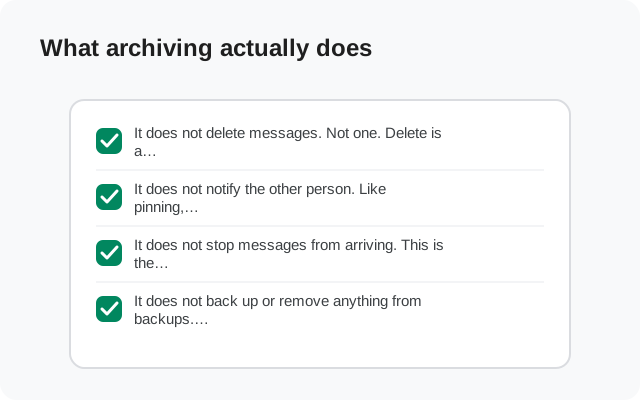
- It does not delete messages. Not one. Delete is a different action entirely (see the comparison below).
- It does not notify the other person. Like pinning, archiving is local. Nobody knows you archived them.
- It does not stop messages from arriving. This is the one people get wrong most often. Archiving is not blocking. The other person can keep messaging you normally.
- It does not back up or remove anything from backups. Archived chats are part of your data like any other chat.
How to archive a chat
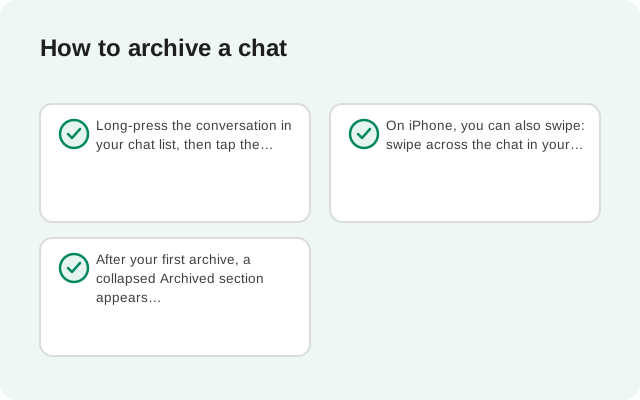
Long-press the conversation in your chat list, then tap the archive icon (it looks like a box with a down arrow, or a folder). The chat slides away into the archive. That is it. No confirmation, no settings.
On iPhone, you can also swipe: swipe across the chat in your list to reveal the archive action, then tap it. Both gestures do the same thing, so use whichever feels natural.
After your first archive, a collapsed Archived section appears in your chat list, usually near the bottom (or top on some versions, then scroll and look for the word "Archived"). Tap it to see everything you have archived.
How to unarchive a chat
Open the Archived section, long-press the chat, and tap the unarchive icon (box with an up arrow). The chat returns to your main list, sorted by its latest message. Everything is exactly as you left it: messages, media, settings, mute status, all intact.
There is no "unarchive all" button, so if you archived a dozen chats in a cleaning spree, you restore them one at a time. This is mildly annoying but also a built-in safety net against accidentally flooding your list.
Archive vs delete: the honest comparison
This is the question this whole page exists to answer, because the two buttons sit near each other and people pick the wrong one under stress. Here is the difference:
| Archive | Delete | |
|---|---|---|
| What happens | Chat hides in the Archived section | Chat and its messages are removed from your device |
| Messages | All kept | Gone locally (restorable only from a backup) |
| Media and files | All kept | Gone locally with the chat |
| New messages | Still arrive; chat reappears in main list | Start a fresh conversation |
| Other person affected? | No | No: their copy is untouched |
| Reversible? | Yes, one tap | Only by restoring a backup |
| Use it when | "Not now, maybe later" | "I never want to see this again" |
The golden rule: if you are not sure, archive. Archiving is reversible in one tap; deleting is reversible only by restoring a backup. When in doubt, hide it. You can always delete later once you are certain.
Two things people ask about delete: deleting a chat removes it from your device only. It does not delete the conversation for the other person, and it does not delete anything from Signal's servers (which cannot read your messages anyway). If you want messages gone for everyone, that is what deleting and editing messages covers it, with its own honest limits.
What happens when an archived chat gets a new message
This is the behavior that surprises everyone, so read this carefully: when an archived chat receives a new message, it automatically unarchives. It jumps back into your main chat list as if it was never archived.
This is by design, not a bug. Signal's archive works like an inbox-zero tool: you clear out chats you have finished with, and they return when there is something new to read. Signal's own developers have confirmed this is the intended behavior. The archive is for conversations you are done with right now, not for hiding conversations from yourself.
That leads to the obvious problem: what if you want a chat hidden even when new messages arrive? There is no "keep archived chats archived" toggle in Signal's settings. But there IS a working method, and it is the next section.
Archive + mute: keep it hidden
Here is the trick, straight from how Signal actually behaves: a muted chat stays archived when new messages arrive. If you archive a chat AND mute its notifications, the chat stays in the archive even when the other person keeps messaging.
Why does this work? Signal treats a muted chat as one you do not need to see right now. A new message in a muted chat does not trigger the unarchive because there is no notification to show you. The chat quietly collects messages in the archive, and you read them when you choose to open the archive.
The procedure:
Mute first
Open the chat, tap the name at the top, choose Mute notifications, and pick a duration (our mute guide walks through the choices). For a chat you want hidden indefinitely, use the longest option.
Archive second
Long-press the chat in your list and tap the archive icon.
Check the result
Have the person send a test message, or wait for the next natural one. The chat should stay in the archive instead of jumping back to your main list.
Note that a timed mute eventually expires. If you muted for a week, expect the chat to start unarchiving again after that week. For permanent hiding, this combo needs the indefinite mute option.
One caution: this combo is for convenience, not secrecy. Anyone holding your unlocked phone can tap the Archived section and read everything. If you need real privacy on a shared device, use Signal's screen lock plus your phone's lock screen. An archive is organization, not a vault.
Can I reply to an archived chat?
You do not have to unarchive a chat to reply to it. Open the Archived section, tap the chat, and it opens like any other conversation. You can read everything, send messages, share photos: full functionality. Replying inside the archive does not unarchive it; the chat stays archived until a new incoming message arrives (or you unarchive it manually).
This is actually a useful workflow for low-priority people: keep them archived and muted, check the archive once a day, reply to anything that matters, and they never bubble up into your main list. Your main list stays clean for the conversations that actually need you.
Archive on other devices and backups
Archiving is part of your account's synced data, so in most setups your archive state carries across linked devices. But, and this matters, treat each device as its own truth for anything that affects your daily flow. If your phone and your desktop disagree about whether a chat is archived, fix it on the device where it annoys you. This takes seconds and beats theorizing about sync.
Archived chats are included in your backups like everything else. Restoring a backup brings back your archive as it was. And like pinning, archived states do not survive a "set up as new phone" without a backup. The archive is part of your local data, and local data lives or dies with your device and backups. Our Android backup guide is the place to start if you have never made one.
Common archive mistakes
- Using archive to hide chats from someone with phone access. Archive is not a lock. The Archived section is one tap away for anyone holding your phone. Use screen lock for real protection.
- Deleting when you meant to archive. The buttons sit close together. Archive is the box-with-arrow; delete is the trash. Remember: unsure? Archive.
- Forgetting an archived chat exists. The collapsed Archived section is easy to ignore for months. If you archived something "to deal with later," set a phone reminder. Signal will not nag you about it.
- Expecting archive to stop messages. Archive never stops messages. If you want someone to stop messaging you, block them. If you want quiet, mute them.
- Archiving instead of leaving a dead group. If a group is finished, archive + mute works, but leaving the group (or asking to be removed) is cleaner. Our group admins guide covers how leaving works.
- Confusing archive with pin. Opposite tools. Pin = always visible, archive = hidden away.
Archive is the calmest feature in Signal: no drama, no notifications to anyone, fully reversible. Use it freely for anything you do not need right now, remember that new messages bring chats back, and pair it with muting when you want something to stay hidden. For the chats you need instantly instead, pin them.
FAQ
What is the difference between archive and delete on Signal?
Archiving hides the chat in an Archived section and keeps all messages; a new message brings it back. Deleting removes the chat and its messages from your device. Only a backup can bring it back. If you are not sure, archive.
Do archived chats still receive messages on Signal?
Yes. Archiving does not stop messages. The other person can message you normally, and, by design, a new message automatically unarchives the chat and returns it to your main list.
How do I keep archived chats from unarchiving on Signal?
Mute the chat before archiving it. Muted chats stay in the archive even when new messages arrive. Note that a timed mute expires, so use the indefinite option for permanent hiding.
Does the other person know I archived their chat?
No. Archiving is local to your device. Nobody is notified and nothing changes on their end.
Can I reply to an archived chat without unarchiving it?
Yes. Open the Archived section, tap the chat, and use it normally: read, reply, send media. Replying does not unarchive the chat.
Are archived chats included in Signal backups?
Yes, archived chats back up like everything else, and restoring a backup brings your archive back. If you set up a new phone without a backup, the archive does not carry over.
Keep reading
- pinning chats: the opposite tool. It keeps chats always visible.
- muting chats: the missing half of the keep-it-hidden combo
- deleting and editing messages: when you actually want messages gone
- Signal screen lock: real protection. An archive is not a lock.