
Signal features, explained one guide at a time
Published: October 7, 2026 · Updated: October 8, 2026
Signal packs a full messenger inside one private package: encrypted voice and video calls, group chats, stories, stickers, and some of the strongest privacy controls in any messaging app. Every guide below is written for people running the official Android APK (current website build 8.29.3, package org.thoughtcrime.securesms, downloaded from signal.org/android/apk). You will not find "mod", "pro", or "unlocked" editions here. Those do not exist. The copies floating around are scams (see our Signal Pro scam guide).
Signal's headline feature is invisible: everything you send is sealed with end-to-end encryption before it leaves your phone. That covers texts, photos, voice notes, and calls., and Signal's servers cannot read it. That is the baseline this whole silo is built on. The guides below are about everything on top of it: the visible features you tap every day. Because Signal is a nonprofit (not an ad company), the feature list is shaped by a different philosophy than WhatsApp or Telegram: no ads, no data harvesting, no channels stuffed with sponsored content, and no algorithmic feed. What you get instead is a focused set of communication tools done well: calls that stay encrypted, groups you control, and privacy switches that actually mean something.
Start with how you talk. The calls section covers one-to-one voice and video calls, group video calls, and call links, which start a call with a shareable link so no group chat is required. All calls are end-to-end encrypted, and there is a relay-call option that hides your IP address from the other side on voice calls. If calls are the reason you are here, the voice calls and video calls guides walk through making them, switching devices mid-call, and keeping quality high. The call links guide shows how to spin up a call for friends or family without adding everyone to a group first.
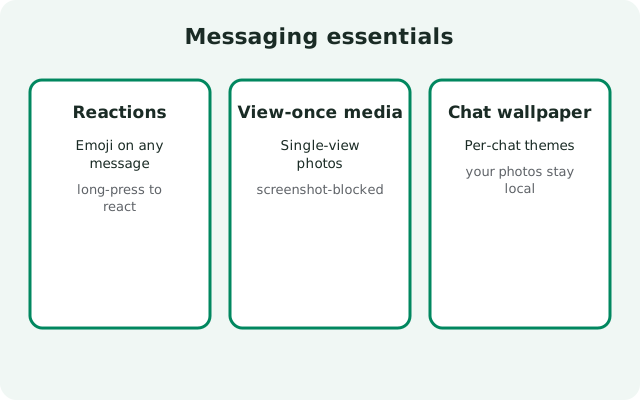
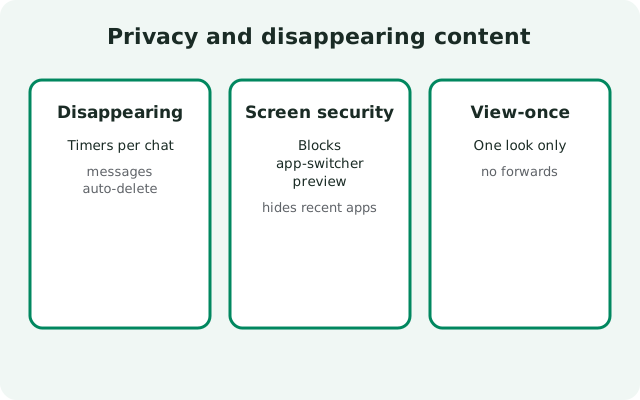
Then learn how you message. Signal covers the everyday basics: replies, emoji reactions, editing, deleting for everyone, pinning chats, archiving, muting, and full-text search across your conversations. Two privacy-flavored messaging features deserve special attention. Disappearing messages let you set a timer per conversation so messages delete themselves on every device after they have been read, and you can set a default timer that applies to every new chat. View-once media sends a photo or video that can be opened exactly once. Both are covered in depth, including honest limits: disappearing messages cannot stop someone from photographing the screen, and view-once media does not protect against screenshots on every device. The guides say exactly where the protection ends, so you do not get a false sense of safety.
The identity section is where Signal changed the game for private messaging. Usernames let people reach you without learning your phone number. You can chat, join groups, and be found by a handle instead. Combined with the phone-number privacy settings (who can see your number, who can find you by it), you can run Signal so your number is visible to nobody. The usernames guide covers creating and sharing one safely, and the phone-number privacy tour walks through every switch. These settings pair with the privacy hub, where the encryption and metadata story is covered in full.
For groups, Signal gives you real administration: create groups, appoint admins, set permissions for who can invite and post, share invite links or QR codes, and run group polls for quick decisions. There is deliberately no broadcast-channel feature. Signal's answer to the "why no channels?" question is a design choice, explained honestly in its own guide. If you are moving a family, class, or team chat over, the groups guides plus the team onboarding guide are the fastest path.
Personalization is lighter than on mainstream apps, but it is there: sticker packs (including making your own), stories with audience controls, chat wallpapers, dark mode, and per-chat custom notification sounds. There is also a cluster of small security switches people miss:
- screen lock (PIN or fingerprint to open the app)
- the incognito keyboard option that asks your keyboard not to learn what you type in Signal
- screen security, which blanks Signal in the recent-apps switcher
The screen-lock guide covers these in one pass.
A few honest gaps to know about. Signal has no native message scheduling. The scheduled-messages guide covers the workarounds that exist and their limits. In-app payments exist only in very limited form, so do not expect a wallet. Chat export is intentionally limited compared with other apps, and the export guide explains the options honestly. And the profile tools (name, photo, about) are deliberately minimal. Signal builds what it can encrypt well and leaves the rest out; this silo documents both sides.
How to use this hub: pick the section that matches what you want to do, not what sounds exciting. New to Signal? Read profile setup, then usernames. Moving a group chat? Start at Signal groups. Tightening privacy? disappearing messages and screen lock. Every guide is a standalone how-to written for the Android app: open it, follow the steps, and you are done.

from Signal’s official site — file hosted by Signal, not by us. signal.org/android/apk
Start with the most-used guides
Calls
Everything about encrypted calls: one-to-one and group.
| Guide | What it covers |
|---|---|
| Voice calls guide | Making and managing encrypted voice calls |
| Video calls guide | Making and managing encrypted video calls |
| Group video calls | Group call controls and layouts |
| Call links | Shareable call links without a group chat |
| Voice notes / audio messages | Recording and sending voice notes |
Messaging essentials
The everyday tools for chats and messages.
| Guide | What it covers |
|---|---|
| Reply & quote messages | Quoting and replying in chats |
| Message reactions | Emoji reactions how-to |
| Delete & edit messages | Deleting for everyone and edit windows |
| Search across chats | Finding messages, media, and links |
| Pin chats | Pinning important chats to the top |
| Archive chats | Archiving vs deleting chats |
| Mute chats & groups | Muting from 1 hour to always |
| Note to Self | Your private chat with yourself |
| Export chat history | Honest options and limits of export |
| Schedule a message | Workarounds for the missing native scheduling |
Privacy & disappearing content
Controls for who sees what, and for how long.
| Guide | What it covers |
|---|---|
| Disappearing messages | Timers per chat and default timer setup |
| View-once media | Sending single-view photos and videos |
| Usernames — create & share | Username setup without your number |
| Screen lock & incognito keyboard | App lock and keyboard privacy |
| Screen security | Hide Signal in the app switcher |
| Safety numbers — verify contacts | Verifying contacts to prevent interception |
| Read receipts & typing indicators | Controlling presence signals |
| Default disappearing-message timer | A timer for all new chats |
| Keep messages from disappearing chats | What you can and can't preserve |
Groups & community
Running chats with many people.
| Guide | What it covers |
|---|---|
| Signal groups — create & manage | Group creation and management |
| Group admins & permissions | Admin roles and member permissions |
| Group invite links | Invite links and QR codes for groups |
| Group polls | Creating polls in group chats |
| Why Signal has no channels | Design philosophy vs broadcast channels |
Personalization & media
Make Signal yours, and handle media.
| Guide | What it covers |
|---|---|
| Stickers — install & make packs | Sticker packs and creating your own |
| Stories — create, view, control | Stories how-to and audience controls |
| Chat wallpapers & themes | Customizing chat appearance |
| Dark mode | Enabling and scheduling dark mode |
| Custom notifications per chat | Per-chat sounds, vibration, and mute |
Profiles, safety & extras
Identity, spam, and the odds and ends.
| Guide | What it covers |
|---|---|
| Profile setup | Name, photo, and about |
| Block & report spam | Blocking contacts and reporting spam |
| Signal payments status | Honest status of in-app payments |
How to choose the right guide
| Your situation | Start here | Why it fits |
|---|---|---|
| I want private calls with family | /features/signal-call-links/ | One link, encrypted call, no group setup |
| I want to hide my phone number | /features/signal-usernames/ | Usernames replace number-sharing |
| Messages should delete themselves | /features/signal-disappearing-messages/ | Per-chat timers plus a default timer |
| I'm moving a group chat over | /features/signal-groups/ | Admins, invite links, and polls covered |
| Someone may see my screen | /features/signal-screen-lock/ | App lock, incognito keyboard, screen security |
| I need to find an old message | /features/signal-search/ | Full-text search across chats |
Frequently asked questions
Are all Signal calls and messages encrypted?
Yes. Everything sent through Signal uses end-to-end encryption: texts, voice calls, video calls, photos, and voice notes. That includes group calls and stories. The encryption explainer covers the design in plain English.
Does Signal have message scheduling?
No native scheduler exists. The scheduled-messages guide documents the realistic workarounds and their limits: third-party automation on Android or simply sending when you are awake.
Can I use Signal without giving out my phone number?
Yes: usernames. People can message you through your username without ever seeing your number, and you can hide your number from everyone in settings. Start with the usernames guide.
Why doesn't Signal have channels like Telegram?
It is a deliberate design choice: Signal optimizes for private, encrypted conversation rather than broadcast. The no-channels guide explains the reasoning and what to use instead.
Related hubs
Got the app yet? Grab it from the official Signal APK download page: then come back and set up usernames, disappearing messages, and call links.
Sources
Official references we check against: