
Why Doesn't Signal Have Channels?
Published: October 7, 2026 · Updated: October 8, 2026
If you are coming from Telegram, this is the first thing you will notice: there is no channels tab, no 'follow' button, no audience of fifty thousand silent subscribers. Signal does not have channels, and it is not working on adding them quietly in the background. This page explains the honest design philosophy behind that choice, what you actually give up, and the real workarounds (announcement-style groups, Stories, and usernames) that cover most of what people used channels for.
from Signal's official site — file hosted by Signal, not by us
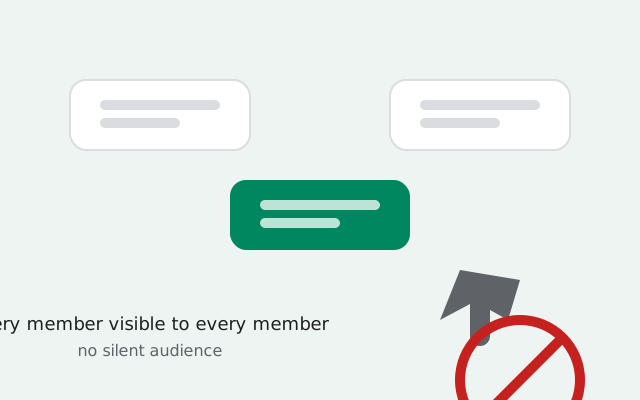
What a channel actually is (and isn't)
On Telegram, a channel is a one-way broadcast tool. One person (or a few admins) posts. Subscribers read. There is no conversation unless comments are bolted on, and subscribers do not see each other. They see the channel's posts and nothing else. Channels can have unlimited subscribers, and people join by following a public link or a search result.
Signal's equivalent building block is the group: a shared conversation where every member can see the member list and (by default) every member can post. The two are philosophically opposite:
- Channel: one-to-many. The audience is invisible. The poster performs.
- Signal group: many-to-many. Everyone sees everyone. The group converses.
Neither is "better" in the abstract. They are different tools. But Signal only built one of them, and that was not an accident.
Why Signal's choice is deliberate
Signal's product decisions start from one premise: the server should know as little as possible. That is why messages are end-to-end encrypted, why your contacts are not uploaded in readable form, and why there is no advertising profile of you anywhere in the company. Channels, as Telegram built them, point the other way: a public broadcast graph (who follows whom, what is popular, who reads what) is exactly the kind of metadata Signal was built to avoid collecting.
There are three honest reasons channels do not fit the product:
- Privacy architecture. A public channel directory with subscriber counts and trending feeds is a surveillance surface. Signal's founders have consistently chosen not to build one. A channel feature that fit Signal's privacy bar would look so different from a Telegram channel that it would barely be the same feature.
- Moderation reality. Running a public broadcast network means running content moderation: spam, scams, extremist propaganda, copyrighted material. Telegram's channels host all of it, constantly. Signal is a small nonprofit; it has never wanted the job of policing a global broadcast platform, and channels would force it into exactly that job.
- Product identity. Signal is a messenger for your actual relationships: family, friends, colleagues, communities you participate in. A broadcast layer would turn it into a media platform, which is a different product with different incentives (engagement, reach, virality) that Signal has deliberately rejected.
So "no channels" is not a roadmap gap. It is the product working as designed.
What you give up vs Telegram
Being honest about the trade-off matters, because channels are genuinely useful for some things:
- One-way announcements at scale. A Telegram channel owner posts once and reaches 100,000 subscribers. On Signal, you announce to a group. Everyone can reply.
- Unlimited audience. Telegram channels have no meaningful subscriber cap. Signal groups top out at 1,000 members (next section).
- Audience invisibility. Channel subscribers do not see each other. Every Signal group member sees the member list: great for trust, awkward for a public fan club.
- Discoverability. Telegram channels are searchable in-app. Signal has no public group directory; people join by invite, link, or QR code (see our group invite link guide).
If your use case is "broadcast to a huge anonymous audience," Signal is simply the wrong tool. This site will not pretend otherwise. But most channel use is smaller and more social than people assume, and for that, the workarounds below cover it.
The 1,000-member ceiling
Signal groups support up to 1,000 members. That is the hard cap: a group cannot grow past it, and there is no "supergroup" tier above it. For context, that ceiling is generous for real communities (a 1,000-person group is enormous by any human measure), but it is a fraction of what a Telegram channel can hold.
The practical consequence: if your community outgrows 1,000 people, Signal cannot host it in one room. You split into topic groups (which, honestly, most 1,000-person groups should do anyway, since a single 1,000-person chat is unreadable), or you accept that Signal is not the platform for that audience size. Do not try to run a 10,000-person audience on a tool built for 1,000. The tool will not bend.
For everything up to that ceiling, the groups guide covers creation and management, and the admins guide covers keeping a big group governable.
Real workarounds for announcements
Most people who miss channels really miss one thing: a reliable way to push announcements to a lot of people. Here is how to get 90% of that on Signal, using only features that actually exist:
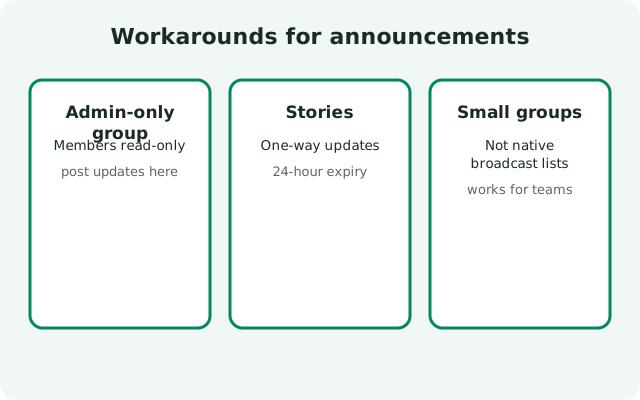
Build an announcement-style group
Create a group for announcements only. Put the admins in charge of everything. In the group's Permissions, set adding members to admins only (see our admins guide). Enable the Group Link with Approve New Members on so every join is vetted (full steps in our invite link guide).
Set the social contract in the description
Write the group's description to say plainly: "Announcements only. Questions go to [the discussion group link]." People follow written norms surprisingly well when the group's purpose is stated up front.
Keep a separate discussion group
Link from the announcement group to a second, open discussion group. This two-group pattern (one quiet broadcast room, one noisy conversation room) is exactly how Telegram's channel-plus-linked-group pattern works, minus the platform.
Tell members to mute the discussion group
The announcement group stays unmuted; the discussion group gets muted (our custom notifications guide shows the two-minute setup). Members get the push of announcements and the peace of a silent discussion room.
Use the description for permanence
Pin the important stuff (schedule, rules, links) in the group description rather than relying on chat history, which scrolls away. The description is always one tap away at the top of the group.
This is not a perfect channel (members can still reply in the announcement group, and you cannot force silence). But combined with clear norms and active admins, it is how most Signal communities do broadcasts today. It works because 95% of "channel" needs are really "announce to a few hundred trusted people," and Signal groups do that natively.
Stories: Signal's one-way channel
There is one genuinely one-way broadcast feature in Signal: Stories. Post a photo or video to your Story and your contacts can view it for 24 hours. They cannot reply in-line the way they can in a group. It is not a channel (no subscribers, no public audience, limited to people you are connected with), but for "push an update to everyone I know without starting a conversation," it is the closest thing Signal has.
Stories are worth knowing about because they are the feature Telegram-channel refugees most often overlook: they check the app for a channels tab and miss that one-way sharing already exists, in a different shape. Our Stories guide covers who can see your stories and how to control the audience.
Pair Stories with an announcement group and you have the full broadcast stack: Stories for casual one-way updates to your contacts, the group for formal announcements to the community, the discussion group for everything else.
Who this breaks for (honestly)
No workarounds section is honest without the failure cases. Signal's no-channels design genuinely does not work for:
- Public figures and brands broadcasting to tens of thousands of followers. You need a real channel product (Telegram, WhatsApp Channels, or a newsletter).
- News-style feeds where the audience is anonymous and the poster never interacts. Signal's member-visible groups are the wrong shape.
- Communities over 1,000 people in a single room. The ceiling is the ceiling.
- Anyone who needs in-app discoverability: being found by strangers browsing a directory. Signal groups spread by link, QR, and word of mouth (our usernames guide helps people find you without a directory).
If that is you, the honest recommendation is to use the right tool for the broadcast layer and keep Signal for the community layer: announce on the channel, discuss in the group. Plenty of communities run exactly that split.
Telegram channels vs Signal groups
| Telegram channel | Signal group | |
| Direction | One-way broadcast (admins post, subscribers read) | Many-to-many conversation (members post, members read) |
| Size limit | No meaningful subscriber cap | 1,000 members |
| Audience visibility | Subscribers do not see each other | Every member sees the full member list |
| Discoverability | Searchable in-app, public links | No directory; joins by invite link or QR code |
| Admin tools | Scheduled posts, view stats, linked discussion groups | Member permissions, invite approval, polls, admin roles |
| Privacy model | Public broadcast graph; cloud-stored | End-to-end encrypted; no public graph |
| Best for | Broadcasting to a large or public audience | Real communities that talk to each other |
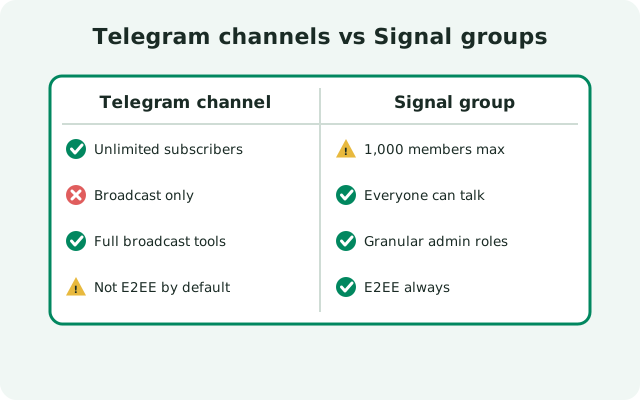
Our full Signal vs Telegram comparison goes deeper on the privacy and feature differences if you are choosing between the two apps.
FAQ
Does Signal have channels?
No. Signal has never had Telegram-style broadcast channels, and it is a deliberate design choice, not a missing feature. Signal builds encrypted groups instead, where every member is visible to every other member.
Will Signal add channels in the future?
Signal has made no public commitment to build channels, and its privacy-first design philosophy points away from public broadcast products. We would not plan around it arriving.
How many members can a Signal group have?
Up to 1,000 members. That is the hard ceiling: there is no larger tier.
How do I make announcements on Signal without channels?
Create an announcement-style group: admins-only member adds, an invite link with Approve New Members turned on, a clear description stating announcements only, and a linked discussion group for conversation. Use Stories for casual one-way updates.
Can members post in an announcement group?
Yes: Signal groups have no admin-only posting mode. The announcement pattern relies on clear written norms, active admins, and moving chatter to a linked discussion group.
Is there a directory of public Signal groups?
No. Signal has no public group directory. People join groups by invite link or QR code, not by in-app search.
Keep reading
- Signal vs Telegram comparison: the full privacy and feature breakdown
- the Signal groups guide: creation and the 1,000-member ceiling
- Signal Stories: one-way updates to your contacts
- Signal usernames: be findable without a directory