
Your Signal profile is public to your chats: control it
Published: October 7, 2026 · Updated: October 8, 2026
Your Signal profile, your name, photo, and about text, is visible to the people you chat with, and you control what each piece says about you. That sounds obvious, but most people set their profile once and never think about it again, while the photo they picked three years ago keeps greeting every new contact, every group admin, and everyone they message through a username link. The controls live in Signal's privacy and profile settings: you can limit photo visibility, choose how your phone number is shared, and decide what your "about" text says to strangers. This guide walks through each piece, how they interact, and the group-chat exposures most people miss.
One framing note: your profile is social privacy, not cryptographic privacy. Encryption protects your messages in transit; profile settings protect what other people learn about you. Both matter, and they fail independently.
The three pieces of your profile
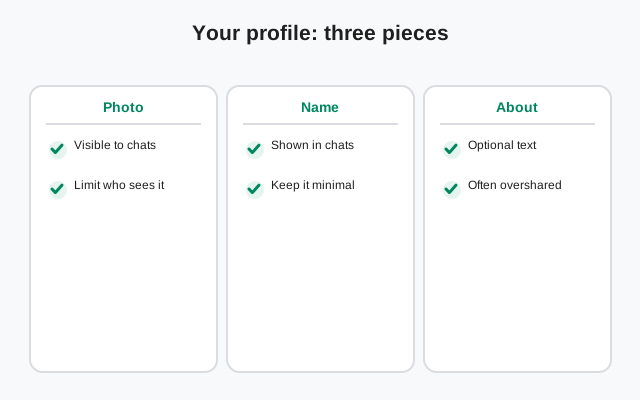
Your Signal profile has three parts, each with its own visibility logic:
| Piece | What it is | Who sees it by default |
|---|---|---|
| Profile name | The display name shown in chats (not necessarily your real name) | People you chat with and groups you join |
| Profile photo | Your avatar image | People you chat with and groups you join. No per-audience control; remove the photo to hide it |
| About text | A short line under your name, like a status message | People who can view your profile |
The profile is per-account: it follows you across your phone and linked computers, and it is what new contacts see before they know anything else about you. Think of it as your public face inside the app. That is exactly why each piece deserves a deliberate choice rather than the defaults you tapped through during setup.
Important context: your profile name does not have to be your real name. Signal lets you use any display name: a nickname, first name only, initials. For anyone with privacy concerns, the single highest-leverage profile decision is often the name itself: a full real name in the profile hands every chat partner a searchable identifier, while a nickname hands them nothing. Everything below assumes you have thought about that first.
Profile photo visibility
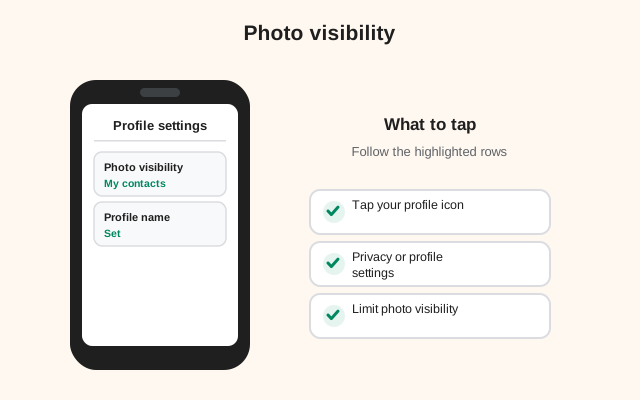
Your profile photo is the most identifying thing in your profile. Faces are searchable in a way names sometimes are not. Here is the honest version of the controls: Signal has no audience picker for your photo. There is no setting that shows it to friends but hides it from group members or strangers. If a photo is on your profile, everyone who sees your profile sees the same one. The real choice is simpler than a maze of toggles: have a photo, use an abstract image, or go with the initials-only look.
How to think about the choice:
- A real photo makes sense if your Signal is mostly friends and family who already know what you look like. Convenience wins; the photo helps people recognize you.
- An abstract image is the middle ground: visually friendly, but it identifies no one. Good for work and community contexts.
- No photo at all is the strongest option. Plenty of privacy-conscious users run permanently photoless, and nobody in a serious context will think twice about it.
Two honest caveats. First, removing a photo is not retroactive magic: anyone who already saw or saved it keeps their copy. Changing it limits future viewers. Second, your photo is visible inside group chats to every other member, which matters more than people expect, as the groups section below explains.
Your profile name
The profile name is free text, and that freedom is the feature. Unlike apps that demand your real name or pull it from your contacts, Signal shows whatever you typed. Practical options:
- Nickname or first name: the sweet spot for most people. Recognizable to friends, useless to strangers running searches.
- Full real name: convenient for work contexts where people need to find the right "Aabideen," but understand it makes your profile a searchable identity anchor.
- Role or handle: "Aabideen (Design)" or a username-style handle, common in organizing and community contexts where the real name stays private.
What the name does not do: it does not verify your identity to anyone. There are no verified badges, no ID checks. Anyone can set their profile name to anything, which cuts both ways. Your contacts cannot be sure a name is really you (verify safety numbers with important contacts), and you should not trust an incoming profile name at face value either. If a "bank manager" messages you with an official-sounding profile name and photo, that proves nothing. Names are labels, not credentials.
from Signal's official site — file hosted by Signal, not by us
The about text
The about line is a short free-text field under your name: the descendant of the old status message. People use it for quotes, jokes, "busy this week," or contact info. From a privacy perspective it is a small field with an outsized leak potential, because people write things there they would never put in a message:
- Workplace and job titles ("Senior Engineer at X"): an identity anchor.
- Locations ("Lahore", "in Berlin till Friday"): a whereabouts feed.
- Contact details (an email, another number): handing strangers a second identifier.
- Relationship or life events: the kind of thing that seems harmless until it is read by the wrong person.
The fix is not complicated: treat the about line as public to your chats, because it is. Either keep it empty, keep it to something content-free (a quote, an emoji), or keep it current. A stale "in Berlin till Friday" from three months ago is misinformation about yourself that you published. Review it when you review the rest of your profile, which should be roughly never less than once a year.
There is no separate visibility toggle for the about text worth relying on. Assume anyone who can see your profile can read it. If you would not print it on a sticker, do not put it in the about line.
How it interacts with phone-number privacy
Your profile and your phone number are separate privacy surfaces that overlap in one important way: your number is the stronger identifier, so number privacy dominates. A locked-down profile photo means little if your phone number is visible to everyone and searchable.
Signal's phone-number privacy settings let you control who can see your number and who can find you by it: Everybody or Nobody for each, with the ability to be found via username instead. Our phone-number privacy guide and usernames guide cover those controls in full. The interaction to understand here:
- Number visible + locked-down profile: inconsistent. Strangers can still identify and contact you by number; the hidden photo is theater.
- Number hidden + real-name profile + face photo: also inconsistent, in the other direction. You hid the strong identifier and published the soft ones.
- Number hidden + nickname + no photo: coherent. Every layer points the same way.
- Number visible + real name + photo: coherent too, just pointed at convenience rather than privacy. Fine for a family-and-friends account; know what you chose.
Coherence is the whole game. Privacy settings fail most often not because any single toggle is wrong, but because the toggles contradict each other. Pick a posture, open or guarded, and set every piece to match it.
Group chats: the exposure people miss
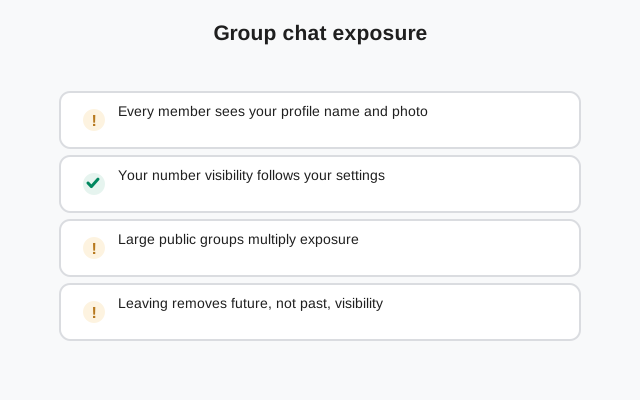
Groups are where profile privacy quietly degrades, because every group is a room full of people who can all see each other's profiles. Join a 50-person community group and 49 strangers can now see your name, photo, and about text: people you would never have added as contacts individually.
Specific exposures to check:
- The member list is a profile gallery. Anyone in the group can browse every member's profile. Your photo and about text are on display to the whole room.
- New joins see existing profiles. When you join a group, your profile becomes visible to members who joined before you, including people you have never interacted with.
- Group links multiply this. An invite link shared publicly can bring strangers into the group, and each arrival gets the full profile gallery. Think twice about your profile before joining via a public link.
- Admins see join requests. Requesting to join a group exposes your profile to whoever approves members, even if you are never admitted.
The practical rule: set your profile for the most public group you are in, not the most private chat. If you are in one big community group, your profile is effectively public to dozens of strangers. Configure it accordingly (nickname, no photo or abstract photo, empty about), even if your one-to-one chats are all close friends. Our group privacy guide goes deeper on the group-specific settings.
Changing your photo: what actually happens
People change profile photos for privacy reasons, a photo that felt fine last year feels exposed now, so here is the honest mechanics of what changing it does and does not do:
- New viewers see the new photo. Anyone encountering your profile after the change sees only the new image.
- Existing contacts' apps update. Contacts who already have you will see the new photo replace the old one in their app.
- Nothing is deleted from other people's devices. Anyone who screenshotted or saved your old photo keeps it. There is no remote wipe of images people already captured. Same as our screenshot guide explains for messages.
- Removing the photo entirely works the same way. Going photoless updates everyone's view going forward, but cannot retract copies already saved.
So changing your photo is forward-looking protection, not a cleanup of the past. If the old photo is genuinely sensitive, say it identified you to people you now need distance from, changing it helps going forward. But consider the stronger moves too: tightening number privacy, leaving shared groups, and in serious cases starting fresh with a new account and username-based connecting.
One more lifecycle note: review your profile on a schedule. Phones get replaced, jobs change, relationships end, threat levels shift. The profile photo from the comfortable era keeps broadcasting into the new one. Once a year, open your own profile as a stranger would see it. Ask a friend, or just look with fresh eyes, and ask: "is this what I want every group member and new contact to know about me?" If the answer is no, you now know exactly which toggles to reach for.
Frequently asked questions
Who can see my Signal profile photo?
People you chat with and members of groups you join can see it, subject to the profile-photo visibility control in Signal's privacy settings, which lets you restrict who it is shown to.
Can I hide my profile photo on Signal?
There is no per-person or per-audience photo toggle: if you have a photo, everyone who sees your profile sees it. You can remove the photo entirely and use the initials-only look instead. Note that anyone who already saw or saved the old photo keeps their copy.
Does my Signal profile name have to be my real name?
No. The profile name is free text: a nickname, first name, or handle all work. For privacy, a nickname is usually the best choice.
Can group members see my profile?
Yes. Everyone in a group can view every member's profile: name, photo, and about text. Set your profile for the most public group you are in.
If I change my profile photo, is the old one deleted everywhere?
No. Contacts' apps update to the new photo, but anyone who screenshotted or saved the old one keeps it. Changing your photo protects future viewers, not past ones.
Keep reading
- Phone-number privacy: controlling who sees and finds you by number
- Usernames without phone numbers: connecting without exposing your number
- Group privacy settings: the full guide to group exposures
- Privacy guides hub: every Signal privacy guide in one place