
Signal stories not posting or loading? Fix it step by step
Published: October 7, 2026 · Updated: October 8, 2026
If your Signal stories are not working, split the problem in two: stories that will not post, and stories that will not load. Posting failures are almost always connection, media, or storage problems. The upload never completes. Loading failures are usually an outdated app or a story privacy setting hiding the story from you. Work through the section that matches your symptom below; most stories problems are fixed without reinstalling anything. For background on how stories are meant to work, see our Signal stories guide.
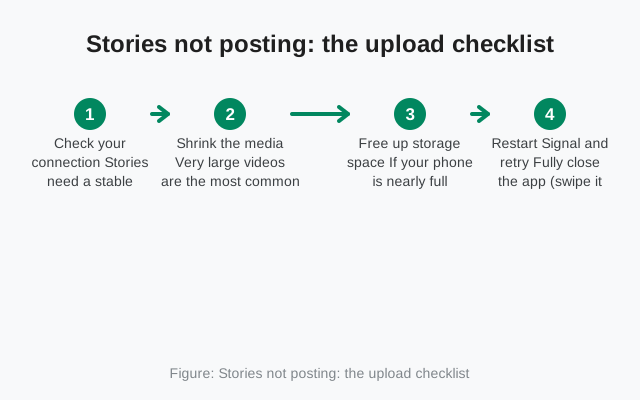
Stories not posting: the upload checklist
Posting a story uploads media to Signal's servers. When that upload cannot complete, the story never goes live. Run through these in order:
-
Check your connection
Stories need a stable connection to upload photos and especially videos. Switch between Wi-Fi and mobile data and try again. A connection that is fine for texting can still be too flaky for a video upload.
-
Shrink the media
Very large videos are the most common posting failure. Trim the video shorter, or post a photo instead as a test. If the photo posts but the video does not, the file was the problem, not your account.
-
Free up storage space
If your phone is nearly full, Signal cannot stage the media for upload. Free up some space. A gigabyte or two of headroom is plenty. Then retry.
-
Restart Signal and retry
Fully close the app (swipe it away from recent apps) and reopen it. A stuck upload session clears on restart, and the retry usually goes through on the first attempt.
-
Update the app
Story upload handling improves with updates. If your Signal is old, update to the latest version (the current website build is v8.29.3), then post again.
Stories not loading or viewing
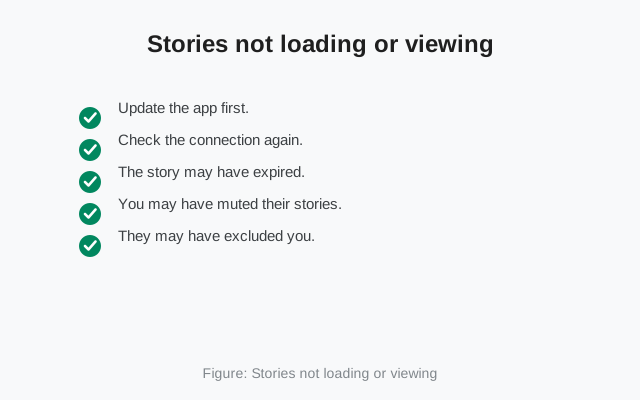
You open the Stories tab and other people's stories will not play, or the tab looks empty. Different causes:
- Update the app first. Stories are a newer feature, and older app versions can fail to load stories posted from newer ones. This single step fixes most "stories won't load" complaints.
- Check the connection again. Stories stream their media when you open them. On a weak connection they spin forever or show a blank frame. Move to stronger Wi-Fi and reopen the tab.
- The story may have expired. Stories live for 24 hours and then vanish on their own. If someone's story was posted yesterday morning, it is simply gone, not broken.
- You may have muted their stories. Signal lets you mute individual people's stories. Muted stories do not appear in the main stories row. Check your muted list if one specific person's stories never show up.
- They may have excluded you. Story privacy lets people share with a custom list or hide stories from certain people. If everyone's stories load except one person's, that person likely did not include you in their audience. There is no setting on your phone that overrides their choice.
from Signal's official site — file hosted by Signal, not by us
My story is not visible to others
Your story posted fine, but friends say they cannot see it. This is a privacy-settings question, not a bug:
- Check your story audience. Signal lets you share stories with all contacts, a custom list, or all contacts except certain people. If you picked a custom list last month and forgot, your new stories are still going to that small circle.
- Look at the viewer list. Open your story and check who viewed it. The viewer list tells you exactly who has seen it. If the person complaining is not there and your audience is limited, that explains it.
- They need you in their contacts. Story visibility generally follows your contact relationships. Someone who is not in your contacts may not see your stories depending on your audience setting.
- Give it a few minutes. Right after posting, there can be a short delay before the story appears for everyone. If it is visible to some people but not others after an hour, revisit the audience setting.
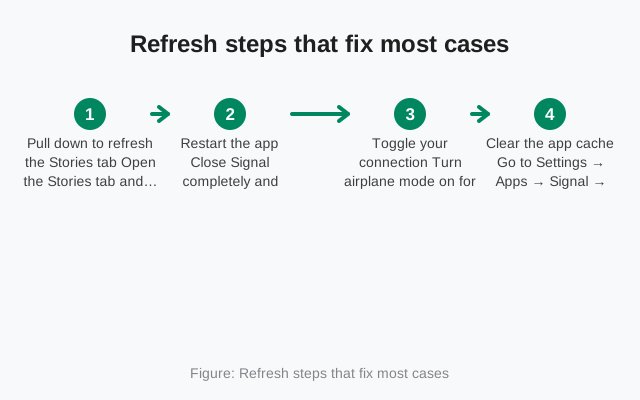
Refresh steps that fix most cases
When stories misbehave in vague ways (blank tab, stuck thumbnails, stories that will not update), these refresh steps clear the majority of cases:
-
Pull down to refresh the Stories tab
Open the Stories tab and pull down. This re-fetches the story list and clears stale thumbnails.
-
Restart the app
Close Signal completely and reopen it. The stories feed rebuilds on launch.
-
Toggle your connection
Turn airplane mode on for ten seconds, then off. This forces the phone to re-establish a clean connection, which unsticks stalled story downloads.
-
Clear the app cache
Go to Settings → Apps → Signal → Storage → Clear cache. This removes temporary files without touching your chats. If story thumbnails are corrupted, this usually clears it. Our cache-clearing guide has the full walkthrough.
Story privacy settings that hide stories
A quick reference for the settings that control who sees what. When a story is "not working," one of these is often the real explanation:
- All contacts: everyone in your Signal contacts can see your stories. The simplest setting and the default most people start with.
- Custom list: only the people you pick can see your stories. Everyone else is excluded automatically. Great for a small circle. Confusing when you forget you set it.
- Hide from certain people: share with all contacts except the people you exclude. If someone cannot see your story, check whether they are on this list.
- Muting (their setting, your view): if you muted someone's stories, they vanish from your feed. Unmute to see them again.
Stories broke right after an update
If stories worked yesterday and broke today, and the only thing that changed is an app update, the update is the prime suspect:
- Clear the cache first. Updates can leave stale story data behind. Settings → Apps → Signal → Storage → Clear cache removes the temporary files without touching your chats, and it fixes most post-update stories glitches.
- Check for a follow-up update. Sometimes the fix ships days later as a small patch. If your version is even one release behind, update before troubleshooting further.
- Reinstall only as a last resort. A full reinstall wipes your local data, so only do it after making a backup you have verified you can restore. For most stories problems this is overkill. The cache clear above handles them.
Posting vs viewing: quick diagnosis table
| Symptom | Posting or viewing? | Most likely cause | Fix |
|---|---|---|---|
| Story stuck on "posting" | Posting | Weak connection or oversized video | Stronger Wi-Fi; trim the video; restart and retry |
| Photo posts, video does not | Posting | Video file too large | Trim shorter or lower the resolution |
| Post fails with full storage | Posting | No space to stage the upload | Free up 1–2 GB and retry |
| Stories tab is blank | Viewing | Stale feed or connection drop | Pull to refresh; toggle airplane mode; restart app |
| Stories spin and never play | Viewing | Weak connection or outdated app | Better connection; update Signal |
| One person's stories never appear | Viewing | Muted, or they excluded you | Check your muted list; their audience is their choice |
| My story invisible to some friends | Posting (audience) | Custom list or hide-from setting | Review your story audience setting |
| Story vanished after a day | Neither. Normal | Stories expire after 24 hours | Repost if you want it live again |
Frequently asked questions
Why won't my Signal story post?
The upload is failing: almost always because of a weak connection, a video file that is too large, or nearly full phone storage. Switch to strong Wi-Fi, trim the video, free up space, and retry.
Why can't I see someone's Signal story?
Either your app is outdated, your connection is weak, the 24-hour story already expired, you muted their stories, or they excluded you from their audience. Update the app and check your muted list first.
How long do Signal stories stay up?
24 hours. After that they disappear on their own. A story that "vanished" after a day expired normally. Repost it if you want it visible again.
Who can see my Signal stories?
Whoever your story audience setting allows: all contacts, a custom list, or all contacts except people you hide them from. Check the setting if some friends cannot see your stories.
Can I see who viewed my story?
Yes. Open your story and look at the viewer list. It shows exactly who has watched it. That list is also the fastest way to diagnose "my friend can't see my story" complaints.
Do I need to reinstall Signal to fix stories?
Almost never. Pull-to-refresh, an app restart, a connection toggle, and clearing the cache fix the vast majority of stories problems. Reinstalling wipes your local data and should be the last resort, only after a backup.
Related guides: how Signal stories work, clear Signal's cache safely, can't send media, or the full troubleshooting hub.