
Not receiving Signal messages? Here's the fix order
Published: October 7, 2026 · Updated: October 8, 2026
Signal not receiving messages is almost always a background-connection problem: your phone's link to Signal's servers dies while the app looks perfectly fine in the foreground. Fix it in order: 60-second checks, battery exemptions, background data, then VPN and private DNS, then the website-build push behavior if you sideloaded the APK, and re-registration only as the last resort. Messages sent to you while your connection is dead are not lost. They deliver when your phone reconnects.
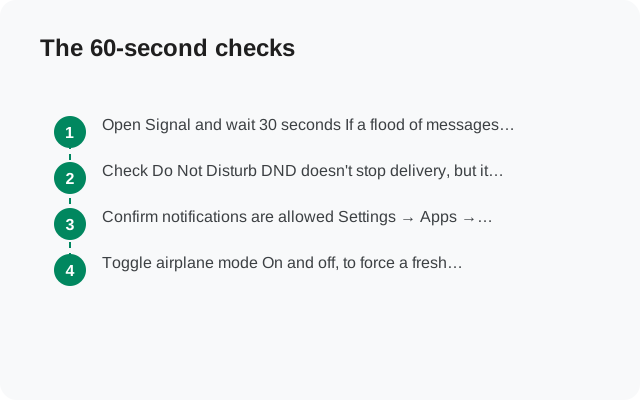
The 60-second checks
Open Signal and wait 30 seconds
If a flood of messages arrives the moment you open the app, your background connection is dead. That's the diagnosis, and the battery section is your fix. The app works; the background doesn't.
Check Do Not Disturb
DND doesn't stop delivery, but it silences every notification, which feels exactly like not receiving messages. Check the quick-settings panel and any DND schedules.
Confirm notifications are allowed
Settings → Apps → Signal → Notifications must be on. If you denied notifications once during setup, messages arrive silently into the app.
Toggle airplane mode
On and off, to force a fresh network registration. Then open Signal and see if queued messages arrive.
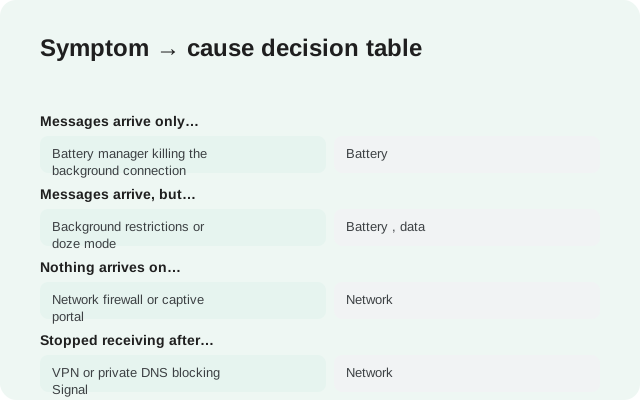
Symptom → cause decision table
| What you see | Most likely cause | Jump to |
|---|---|---|
| Messages arrive only when you open the app | Battery manager killing the background connection | Battery |
| Messages arrive, but late (minutes to hours) | Background restrictions or doze mode | Battery, data |
| Nothing arrives on Wi-Fi, works on mobile data | Network firewall or captive portal | Network |
| Stopped receiving after installing a VPN/DNS app | VPN or private DNS blocking Signal | Network |
| Desktop gets messages, phone doesn't | Phone-side connection dead | Linked devices |
| Nothing from anyone, ever, even with app open | Registration broken | Re-register |
Battery exemptions (the #1 fix)
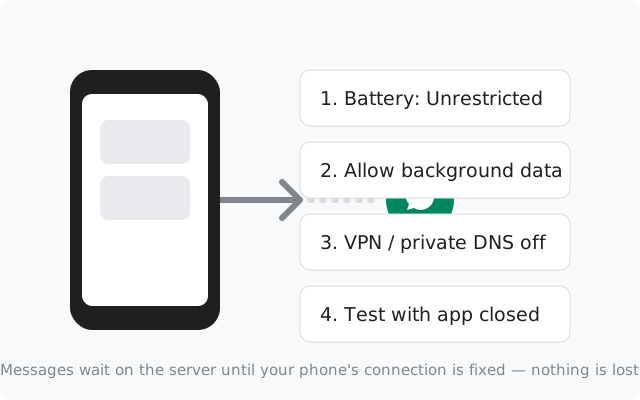
This fixes more "not receiving" cases than everything else combined. Android's battery manager sees Signal's persistent background connection as idle drain and kills it. The fix:
Set battery to Unrestricted
Settings → Apps → Signal → Battery → Unrestricted. (Wording varies: "Don't optimize", "No restrictions".) This is the single most important setting on this page.
Fix the brand-specific second layer
Xiaomi/MIUI, Huawei/EMUI, Oppo/ColorOS, Vivo/Funtouch, OnePlus, and Samsung all add their own app-killing on top of stock Android. Look for "app launch", "auto-launch", "background management", or "sleeping apps" settings and let Signal run in the background. Brand-by-brand steps are in our delayed-notifications guide.
Keep Signal out of deep sleep lists
On Samsung, check Battery → Background usage limits and make sure Signal is not in sleeping or deep-sleeping apps. On Xiaomi, lock Signal in the recent-apps tray (tap the lock icon) so the system doesn't swipe-kill it.
Background data and data saver
- Allow background data: Settings → Apps → Signal → Mobile data → Allow background data must be on. Without it, Signal can't receive anything unless it's open.
- Unrestricted data usage: on the same screen, enable Unrestricted data usage so data saver doesn't throttle Signal's background connection.
- Data saver itself: if you run with data saver always on, add Signal to its unrestricted list. This is a very common cause of "works on Wi-Fi, nothing on mobile data".
- Roaming: traveling? Make sure data roaming is on if you need it. No data, no messages, and Signal can't tell you why.
VPN, private DNS, and network blocks
- VPN apps: turn the VPN off and test. Some VPNs break Signal's persistent connection silently. If that's the cause, use split tunneling to exclude Signal or switch servers.
- Private DNS: Settings → Network → Private DNS set to a filtering provider can block Signal's domains. Set it to Off or Automatic and test.
- DNS-filter / firewall apps: NetGuard, RethinkDNS, ad-blockers with local VPN: pause them to test, then allowlist Signal.
- Work/school/public Wi-Fi: captive portals and firewalls can block Signal's connection while the browser works fine. Test on mobile data. If messages flow there, the network is the problem. There's nothing wrong with your phone or Signal.
Website build push: FCM vs websocket
How Signal wakes your phone to deliver a message depends on which build you installed:
- Play Store build: uses Google's push service (FCM). Reliable on any phone with Play services, because the system keeps one shared push connection alive for all apps.
- Website APK on a phone with Play services: also uses FCM. Behaves the same as the Play build for message delivery.
- Website APK on a phone without Play services (Huawei without GMS, GrapheneOS, de-Googled ROMs): falls back to Signal's own persistent websocket connection. This works, but it's a single connection owned by the app itself, so battery managers kill it far more aggressively than the system-level FCM connection.
If you sideloaded the website APK onto a phone without Google services and messages only arrive when the app is open, this is the mechanism. The battery exemptions above are not optional tweaks for you. They're required. See the Huawei guide and the GrapheneOS install guide for the no-Google specifics.
Linked devices showing messages your phone doesn't
If Signal Desktop or a linked tablet shows new messages while your phone stays silent, your account is fine and Signal's servers are fine. Only the phone's background connection is dead. That's actually good news: it narrows the problem to the battery and background-data settings above. Fix those on the phone; don't unlink and relink devices, which just adds new sessions without fixing the connection.
The reverse (phone gets messages, desktop doesn't) is a desktop-side connection issue. Check the desktop app's network and restart it.
Last resort: re-register
If messages never arrive even with the app open and a working connection, your registration itself may be broken. Re-registering gives you fresh sessions, but read the cost first:
Verify the backup is current
Check the backup timestamp in Settings → Chats → Chat backups.
Reinstall and re-register
Uninstall, reinstall from signal.org/android/apk, verify your number by SMS, enter your PIN if registration lock is on, restore the backup.
Test immediately
Ask a contact to message you with the app closed. If it arrives, the fresh registration fixed it.
Honest expectation: re-registering fixes corrupted registration state, which is rare. If the real cause was battery management, you'll be back here in a week. Fix the battery settings first, re-register second. And if nothing works on any network with a fresh install, suspect carrier-level blocking or a phone firmware bug, not Signal.
from Signal's official site, file hosted by Signal, not by us
Frequently asked questions
Why do Signal messages only arrive when I open the app?
Your phone's battery manager is killing Signal's background connection. Set Signal's battery to Unrestricted, allow background data, and fix your phone brand's extra app-killing settings. Then test with the app closed.
I get messages late, sometimes hours late. What's wrong?
Same family of causes: doze mode and background restrictions delay the connection instead of killing it outright. The battery exemptions and background-data settings fix late delivery too.
Signal Desktop gets messages but my phone doesn't. Is my account broken?
No. Your account and Signal's servers are fine, since the desktop proves delivery works. Only your phone's background connection is dead. Fix the battery and background-data settings on the phone.
Does the website APK receive messages without Google Play services?
Yes, it falls back to its own persistent websocket connection. It works, but battery managers kill it more aggressively than Google's push service, so the battery exemptions are essential on phones without Play services.
Will I lose messages sent while my phone was offline?
No. Messages wait on Signal's servers and deliver when your phone reconnects. Nothing is lost because your background connection was dead.
I re-registered and still get nothing. Now what?
Then it's the network or the phone firmware, not your account. Test on a different network (mobile data vs Wi-Fi), turn off VPN and private DNS, and check whether your carrier blocks anything. Don't factory-reset the phone for this.
Related: the master guide to messages not sending, diagnosing a message stuck on one check, battery fixes for delayed notifications, notifications on Huawei without Google, backing up before a reinstall, and the troubleshooting hub.